We are officially moving past the “Assistant” era. Your digital workspace is no longer just a digital filing cabinet or a basic chatbot that waits for you to tell it what to do. Instead, it is becoming a living part of your team—one that actually understands and remembers how you work.
Instead of just helping you write an email, the Agentic Enterprise handles the entire project flow. It knows your deadlines, remembers your team’s unique style, and acts before you even have to ask.
Here are the top five breakthroughs from the keynote that will define your digital strategy for the next 12 months.
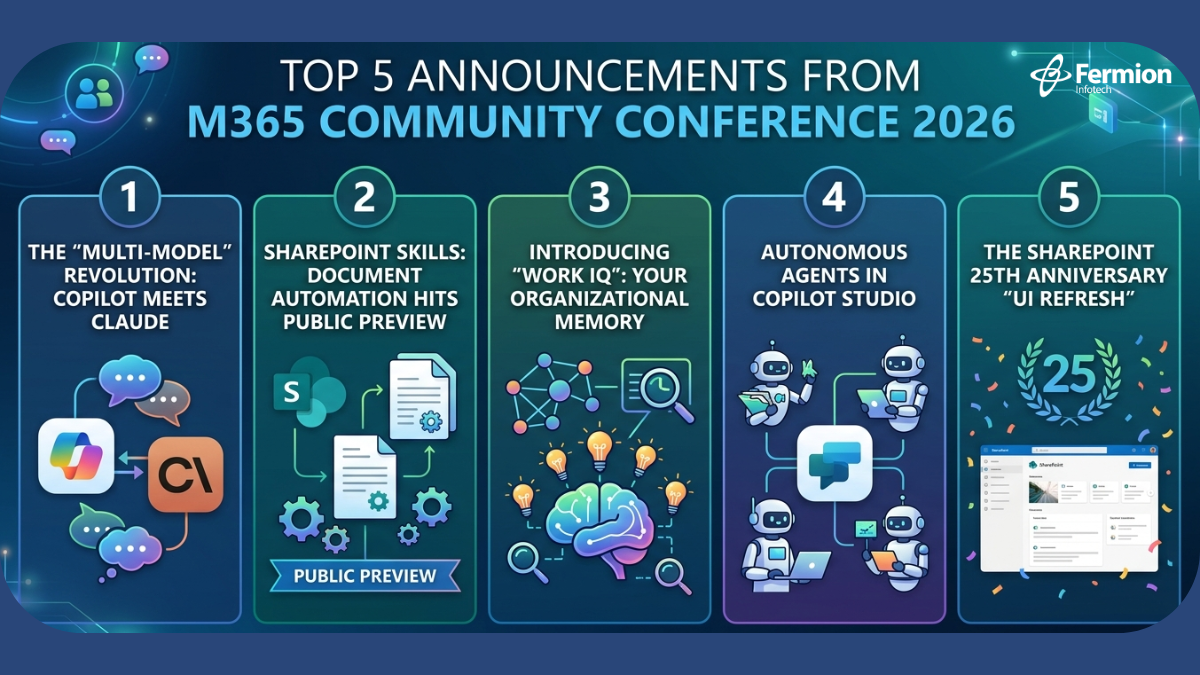
1. The “Multi-Model” Revolution: Copilot Meets Claude
In a move that surprised many, Microsoft announced that Microsoft 365 Copilot is moving toward a multi-model infrastructure. While GPT-4 remains a cornerstone, Copilot now supports integration with Anthropic’s Claude 3.5/4 and specialized internal models for specific tasks.
Why it matters: This isn’t just about choice; it’s about latency and logic optimization. Different models excel at different tasks—Claude’s nuance in long-form creative reasoning combined with GPT’s coding prowess means your users get the best output regardless of the request.
Leader Insight: This reduces “model lock-in” and ensures your M365 investment stays at the bleeding edge of LLM benchmarks without requiring a migration.
2. SharePoint Skills: Document Automation Hits Public Preview
The transition from SharePoint being a “file bucket” to an “active participant” is complete. SharePoint Skills has officially moved to Public Preview. This feature allows site owners to “teach” a site how to perform specific business processes using the documents it houses.
The Workflow: Instead of just searching for an invoice, a SharePoint Skill can be triggered to “Summarize all unpaid invoices from Q1 and draft a follow-up email in the vendor’s local language.”
The Impact: This is the beginning of zero-touch document processing. It shifts the burden of manual data entry onto the “Agentic” layer of your intranet.
3. Introducing “Work IQ”: Your Organizational Memory
Perhaps the most ambitious announcement was Work IQ. Microsoft describes this as the “Organizational Memory” layer of the Microsoft Graph.
“Work IQ doesn’t just know what you wrote; it knows what the organization intended.” — Jeff Teper, Keynote 2026
How it works: Work IQ analyzes patterns across Teams meetings, emails, and SharePoint files to create a persistent knowledge graph. When a new employee asks a question, Work IQ provides answers based on the history of the company’s decision-making process, not just keywords.
Security Note: Work IQ respects all existing Purview permissions, ensuring “organizational memory” doesn’t become “unauthorized access.”
4. Autonomous Agents in Copilot Studio
The conference marked a major pivot from “assistants” to “agents.” Copilot Studio now allows for the creation of Autonomous Agents that can be triggered by external events (like a CRM update) rather than just a human prompt.
Strategic Use Case: An agent can now monitor a shared mailbox, verify an attachment against a SharePoint list, update your ERP, and notify a Teams channel—all without a human needing to type a single prompt.
IT Oversight: New “Agentic Governance” dashboards were introduced in the M365 Admin Center to help you track what these agents are doing and which data they are consuming.
5. The SharePoint 25th Anniversary “UI Refresh”
To celebrate 25 years of SharePoint, Microsoft unveiled a total UI overhaul that integrates Aero Glass 3.0 aesthetics with AI-driven navigation.
The Shift: Navigation is moving from static “mega-menus” to Contextual Portals. The intranet will now morph based on the user’s current project, surfacing the most relevant Work IQ insights and SharePoint Skills automatically.
Summary
A key takeaway from the M365 Community Conference 2026 is that the era of AI agents has arrived. Rather than focusing solely on user prompts, the strategic priority is now on building the Work IQ and SharePoint skills that allow AI to operate seamlessly in the background.
High-quality data hygiene in SharePoint is a prerequisite for any successful pilot, as it directly impacts the performance of these intelligent systems.
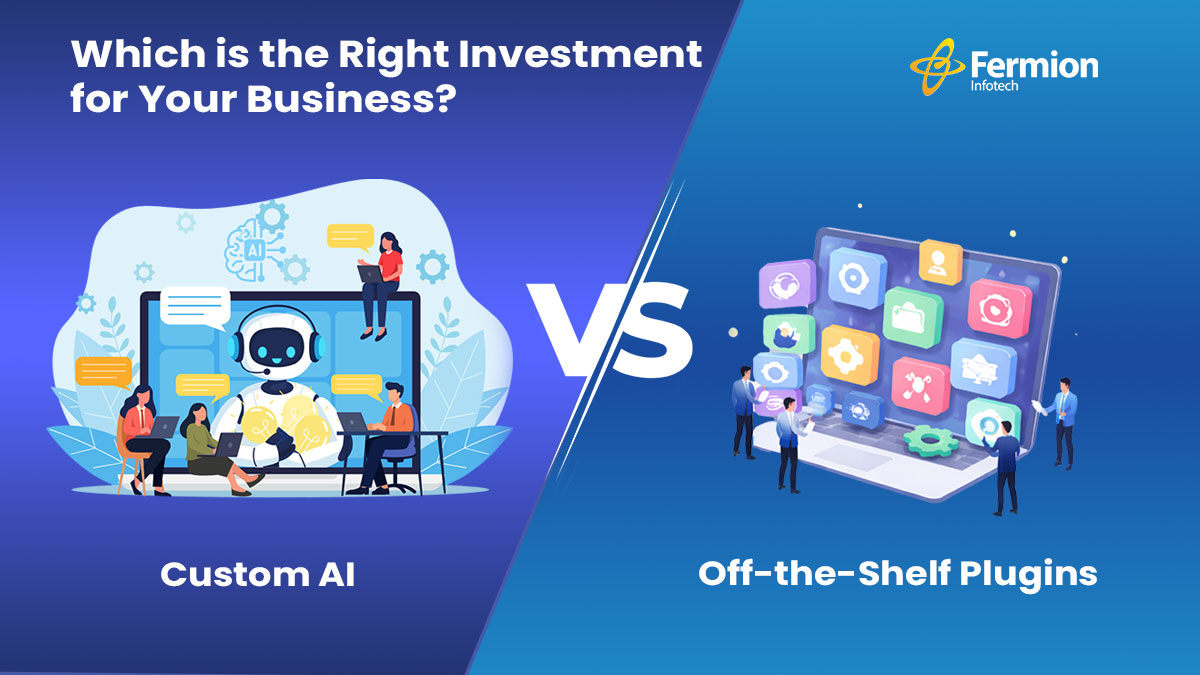
Speed or Sovereignty? That is the core of the AI debate. Choosing between an off-the-shelf plugin and a custom-built solution is a high-stakes decision that impacts your data, your budget, and your competitive edge.
Here is how to look past the hype and choose the investment that actually scales with your business.
Understanding the Two Paths: Build vs. Buy
1. Off-the-Shelf AI Plugins (The “Buy” Route)
These are pre-built tools designed for broad applicability and fast deployment.
Best for: Speed, low technical overhead, and standardizing common tasks.
2. Custom AI Solutions (The “Build” Route)
These are purpose-built for your specific data, proprietary workflows, and unique business logic.
Requirements: Investment in development, data infrastructure, and ongoing maintenance.
Best for: Competitive differentiation and handling sensitive, proprietary data.
When Off-the-Shelf Plugins Make Sense
Plugins deliver strong ROI when your needs are well-defined and widely shared across your industry.
Low AI Maturity: They let your organization build internal comfort with AI tools without a massive upfront investment.
Commoditized Tasks: If you want AI-powered meeting summaries or basic customer sentiment analysis, a mature plugin solves the problem at a fraction of the cost.
Proof of Concept: Use plugins to identify real friction points before deciding if a custom build is even warranted.
When Custom AI Justifies the Investment
Custom development is a strategic asset when your competitive advantage depends on intelligence that cannot be purchased by your competitors.
Proprietary Data: If you have years of unique transaction history or operational patterns, a generic model cannot extract the same value that a purpose-trained system can.
Strict Compliance: In regulated industries like finance or healthcare, sending sensitive info to third-party SaaS platforms is often a non-starter. Private-cloud AI is a necessity, not a luxury.
Economics of Scale: At a certain volume, the cost per query for a custom system becomes significantly cheaper than paying monthly per-seat licenses for a hundred employees.
Finally, at sufficient scale, the economics shift. A custom system amortized over millions of queries often outperforms the cumulative cost of per-seat plugin licensing — especially as usage grows.
The hybrid approach: a practical middle ground
Many enterprises find success with a staged strategy: deploy off-the-shelf tools immediately to capture near-term productivity gains, while investing in custom infrastructure for the one or two use cases that are genuinely differentiating. This avoids the false choice between “build everything” and “buy everything.”
The key is identifying which workflows benefit from standardization and which require proprietary intelligence. A sales team’s email assistant probably doesn’t need to be custom-built. Your demand forecasting model, trained on five years of your own supply chain data, probably does.
Questions to ask before deciding
Before committing either way, work through these questions:
Does the use case rely on data that only your organization has?
Is the process you’re automating a source of competitive differentiation, or is it operational overhead?
What is the true total cost of ownership for each option — including integration, training, and maintenance?
Does your team have, or can it acquire, the capability to support a custom build?
And what happens to your strategy if the plugin vendor changes pricing, discontinues the product, or is acquired?
Bottom line
Off-the-shelf plugins are excellent tools for moving quickly, reducing friction, and building AI literacy in your organization. Custom AI is a strategic asset when your data and workflows are genuinely unique. The most effective businesses use both — intentionally, and for different purposes.
Integrating a smart AI chatbot is one of the fastest ways for Magento merchants to lower overhead and increase conversion rates. But where do you start? From choosing the right provider to technical deployment, here is your step-by-step roadmap to launching a chatbot that delivers results.
Why your Magento store needs an AI chatbot
Magento powers some of the world’s largest e-commerce automation operations, but even the best storefronts can’t staff a support team around the clock. An AI chatbot fills that gap — answering product questions, processing order status requests, and guiding shoppers to checkout, 24/7.
Instant responses
Resolve FAQs and order queries in seconds, not hours.
Higher conversions
Guide undecided shoppers toward the right product and reduce cart abandonment.
Lower support cost
Deflect repetitive tickets, so your team focuses on complex issues.
Choose your AI chatbot for Magento platform
Before writing a single line of code, decide which platform fits your requirements. Key factors to evaluate include native Magento integration for e-commerce platform, support for custom training data, conversational AI quality, and pricing model.
Tidio
Gorgias
Intercom Fin
Freshchat
Custom (OpenAI API)
Zendesk AI
Set up your Magento environment
A clean, well-configured Magento environment is the foundation. Before proceeding, ensure the following are in place:
Magento 2.4.x installed (cloud or on-premise)
Admin API access enabled with appropriate scope
HTTPS enforced site-wide (mandatory for third-party widget trust)
Composer and CLI access for module installation
Staging environment ready for pre-live testing
Install & configure the chatbot
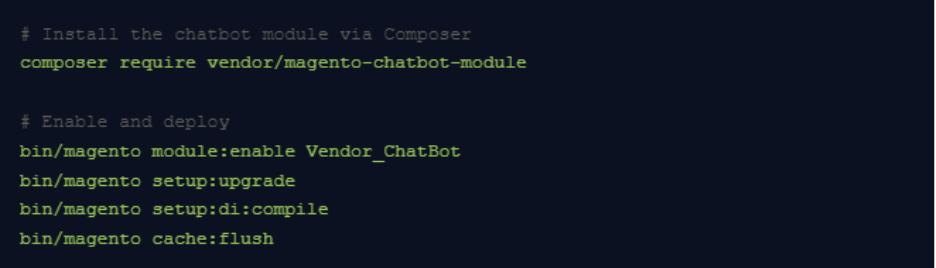
Installation method depends on your chosen platform. For a Composer-based Magento module (typical for self-hosted or custom solutions), the flow looks like this:
For SaaS platforms (Tidio, Gorgias etc.), you’ll typically paste a JavaScript snippet into your Magento theme’s default_head_blocks.xml or use their dedicated Magento extension from the Marketplace.
Connect to Magento data sources
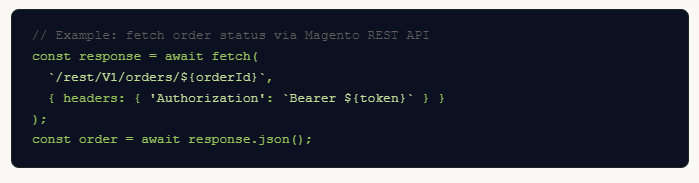
The real power of an AI chatbot comes from connecting it to live Magento data — product catalogue, inventory, customer orders, and promotions. Use Magento’s REST or GraphQL API to expose these data sources to your chatbot backend.
Pipe this data into your AI chatbot’s context so it can answer “Where is my order?” questions with real-time accuracy rather than canned responses.
Train the bot on your catalogue
Upload your product descriptions, FAQs, shipping policies, return policies, and brand tone-of-voice guidelines to your chatbot’s knowledge base. For LLM-backed bots, this usually means creating a vector store or retrieval-augmented generation (RAG) pipeline.
Export product data as structured JSON or CSV
Chunk and embed documents into a vector database (e.g. Pinecone, pgvector)
Write a system prompt that defines bot persona, scope, and escalation rules
Schedule nightly re-indexing to keep catalogue data fresh
Test before you go live
Never push directly to production. On your staging environment, run through these scenarios systematically:
Product search and recommendations
Order tracking with real and dummy order IDs
Returns and refund policy queries
Edge cases: out-of-scope questions, abusive input, language switching
Conversion lift — sessions with chatbot vs. without
Fallback rate — how often the bot says “I don’t know”
Top unanswered intents — feed these back into training data
As confidence grows, expand the bot’s scope: proactive cart-abandonment nudges, upsell recommendations at checkout, post-purchase follow-up flows, and multilingual support for new markets.
Ready to build your Magento AI chatbot?
Our team at Fermion Infotech specialises in custom AI integrations for e-commerce platforms. Whether you need a quick SaaS setup or a fully bespoke RAG-powered assistant, we can help you ship it fast.
Imagine this: It’s a busy Monday morning. Instead of your customer service team sifting through refund requests or your operations manager manually checking inventory levels, intelligent AI systems are autonomously handling these tasks. They’re not just answering questions; they’re acting.
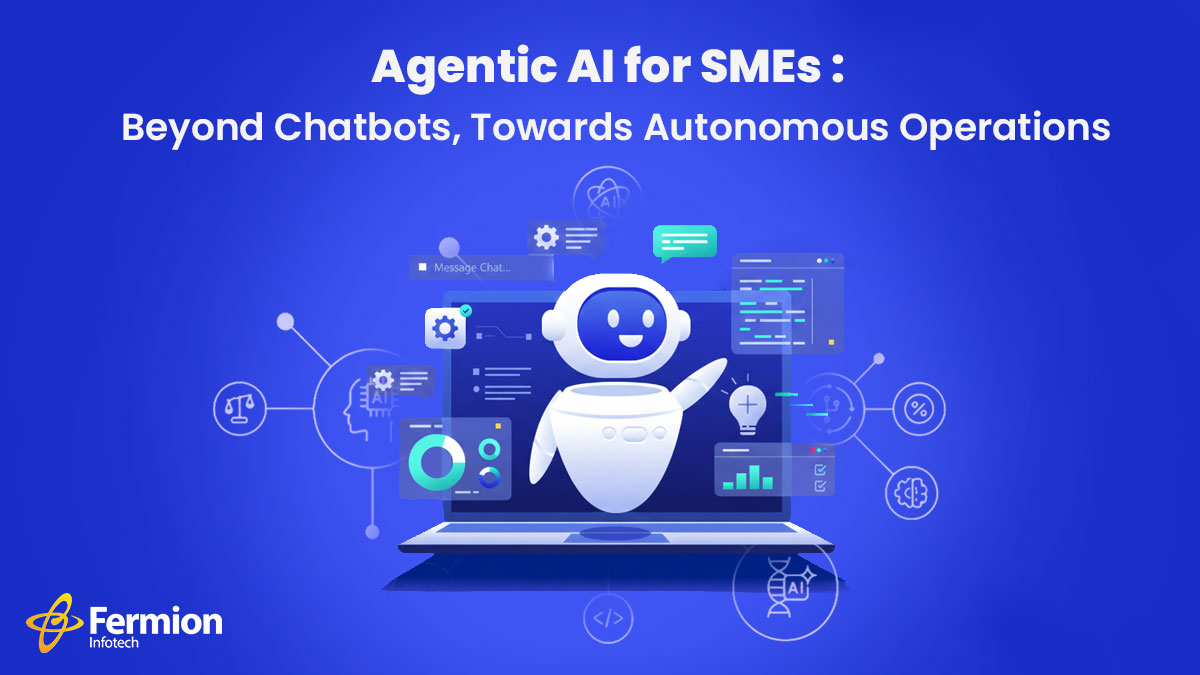
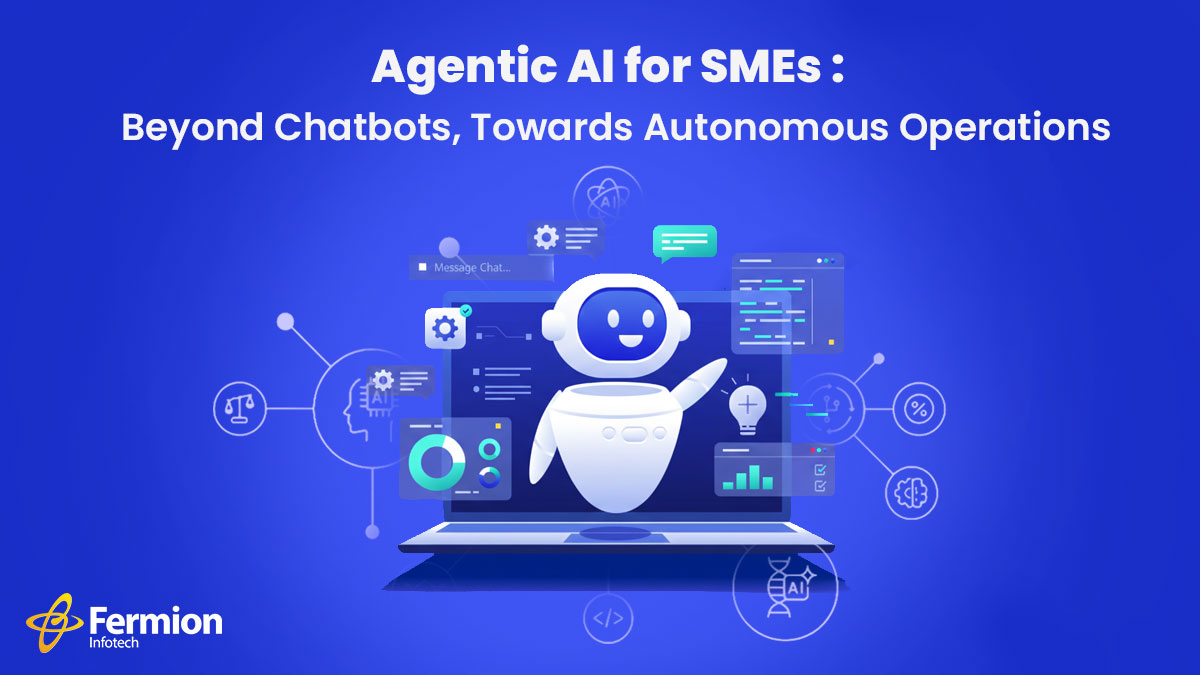
This isn’t science fiction for large enterprises anymore. This is the promise of Agentic AI for Small and Medium-sized Enterprises (SMEs), and it’s a monumental leap beyond the basic chatbots many businesses currently employ. Let’s discover how agentic AI helps SME’s work faster!
This isn’t science fiction for large enterprises anymore. This is the promise of Agentic AI for Small and Medium-sized Enterprises (SMEs), and it’s a monumental leap beyond the basic chatbots many businesses currently employ. Let’s discover how
The Chatbot Bottleneck: A Good Start, But Limited
Chatbots have undeniably brought efficiency to customer service. They can answer FAQs, guide users, and even handle simple transactions. However, their limitations quickly become apparent:
Rule-Based Rigidity: Many chatbots follow predefined scripts. Deviate from the script, and they often get stuck, requiring human intervention.
Lack of Context: They struggle to remember past interactions or understand nuanced situations. Each new query is often treated in isolation.
Zero Autonomy: Chatbots are primarily reactive. They respond when prompted but can’t initiate actions, learn from outcomes, or make decisions.
Integration Headaches: Connecting them deeply with backend systems for complex tasks can be cumbersome and expensive for SMEs.
This leads to frustrated customers and still overburdened staff. The vision of a truly autonomous digital assistant remains elusive with traditional chatbot technology.
Enter Agentic AI: The Evolution of Intelligent Automation
Agentic AI, also known as AI Agents or Autonomous Agents, represents a paradigm shift. Unlike passive chatbots, AI Agents are designed with several critical capabilities:
Goal-Oriented: They are given a specific objective (e.g., “process this refund,” “optimize inventory for next quarter”).
Autonomous Planning: They can break down complex goals into smaller, manageable steps.
Memory & Learning: They remember past interactions, learn from successes and failures, and adapt their strategies over time.
Tool Use: They can seamlessly integrate with and utilize various external systems (your ERP, CRM, payment gateways, e-commerce platform) to gather information and execute actions.
Proactive Execution: They don’t just wait for prompts; they can monitor conditions, identify opportunities, and initiate actions.
Self-Correction: If a step fails, they can often identify the issue, adjust their plan, and try again.
Think of it less like a talking FAQ machine and more like a highly capable, self-directed virtual employee.
Real-World Impact for SMEs: From Manual Drudgery to Autonomous Efficiency
How does this translate into tangible benefits for your business? Let’s look at two critical areas:
Imagine a customer initiates a refund request. Instead of a chatbot collecting details for a human agent to review, an AI Agents can:
Verify Eligibility: Access your order management system to confirm purchase details, return policy compliance, and payment status.
Initiate & Track: Automatically trigger the refund process through your payment gateway or accounting software.
Communicate Proactively: Send automated, personalized updates to the customer regarding the status of their refund, estimated processing time, and confirmation of completion.
Flag Exceptions: Only escalate truly complex or unusual cases that require human judgment, freeing up your team for high-value interactions.
The result? Faster resolution times, higher customer satisfaction, and a significant reduction in the manual workload for your customer service team. Your AI agents become problem-solvers for the complex, not data entry clerks for the mundane.
For any e-commerce or retail SME, inventory is king – and often a constant headache. An AI Agent dedicated to inventory management can:
Real-time Monitoring: Continuously track stock levels across all SKUs and locations.
Demand Forecasting (Learned): Analyze sales data, seasonality, marketing campaigns, and even external factors (weather, holidays) to predict future demand with greater accuracy than static models.
Automated Reordering: Generate purchase orders for suppliers when stock hits predefined (or dynamically adjusted) reorder points.
Supplier Communication: Automatically send orders, track delivery schedules, and flag potential delays.
Warehouse Optimization: Suggest optimal placement for incoming goods or recommend transfers between warehouses to minimize storage costs and maximize availability.
Identify Trends: Proactively alert you to slow-moving inventory or potential stockouts for popular items.
The result? Reduced carrying costs, minimized stockouts, optimized cash flow, and more efficient use of warehouse space. Your operations team shifts from reactive firefighting to strategic planning.
Why Now? The Convergence of Power and Accessibility
The rise of Agentic AI for SMEs isn’t accidental. It’s driven by:
Advanced LLMs: Sophisticated Large Language Models provide the “brain” for AI agents to understand context and generate natural language.
Improved APIs & Integrations: Modern software is designed to communicate, making it easier for AI agents to connect with various platforms.
Cloud Computing Scalability: Accessible, on-demand computing power enables even smaller businesses to leverage these complex systems.
Specialized Development Partners: Companies like Fermion Infotech are bridging the gap, making these advanced capabilities accessible and tailored to SME needs.
Fermion Infotech: Your Partner in the Agentic AI Revolution
At Fermion Infotech, we understand the unique challenges and opportunities for SMEs in today’s digital landscape. We specialize in building robust, scalable, and intelligent solutions that move beyond off-the-shelf tools.
Our expertise in e-commerce, fintech, and AI/ML positions us perfectly to help you design and implement Agentic AI solutions that can:
Streamline your operations.
Enhance customer experiences.
Drive efficiency and profitability.
Stop just “chatting” with your technology. It’s time to empower it to act.
Are you ready to explore how Agentic AI can transform your SME?
The traditional way of shopping, where we search, click, add to cart, and check out, is quickly becoming outdated. In markets like India, the new goal is “zero-click” purchasing.
This means advanced tech like AI and smart home devices (IoT) are taking over. They look at your past purchases and routines to predict what you need (like milk or printer ink) and re-order it automatically.
For tech companies, the job is to build software that makes this automation happen flawlessly, turning shopping into a completely invisible process.
Fermion Infotech, best software development company in India, specializes in custom software solutions needed to make shopping instantaneous, invisible, and hyper-personalized.
What is Zero-Click Shopping?
Zero-Click Shopping, or Autonomous E-commerce, is the ability for consumers to complete a purchase without manually navigating a website, filling a cart, or even clicking a ‘Buy Now’ button. Instead, technology anticipates and executes the purchase instantly based on context, past behavior, and pre-set preferences.
Key Zero-Click Channels:
Voice Commerce (V-Commerce): Instant re-orders or personalized recommendations executed through smart speakers (like Amazon Alexa or Google Assistant) with a simple voice command.
AI-Driven Auto-Replenishment: Systems, often linked to smart home devices or subscription models, automatically place an order when a product’s inventory is low (e.g., smart refrigerators ordering milk).
Conversational Commerce: Using generative AI or advanced chatbots to handle the entire shopping process, from product discovery to secure payment, all within a messaging interface.
Rich SERP Features: While often discussed in terms of search, the direct display of product details, pricing, and sometimes an immediate checkout option right on the Search Engine Results Page (SERP) is a powerful zero-click commerce vector.
The Zero-Click Opportunity in the Indian Market
India’s digital ecosystem is uniquely positioned for the zero-click revolution:
Quick Commerce (Q-Commerce) Dominance: Indian consumers have embraced platforms like Zepto, Blinkit, and Swiggy Instamart for near-instant delivery of essentials. This rapid-delivery culture has normalized the idea of high-speed, minimal-friction transactions, setting the stage for full automation.
UPI Automation & Subscriptions: The penetration of the Unified Payments Interface (UPI) and the rise of seamless auto-debit systems for subscription-based products (FMCG, beauty, wellness) provide the necessary frictionless payment infrastructure.
‘Hinglish’ and Voice Adoption: With a high mobile-first user base, voice search adoption, often in mixed languages (Hinglish), is rising. AI systems that can process and action complex, natural-language shopping requests are a major differentiator in the Indian market.
The shift is clear: The consumer priority is moving from “convenience” to “instantaneous and invisible” purchasing.
Software Solutions to Lead the Zero-Click Wave
For businesses and Direct-to-Consumer (D2C) brands in India, embracing zero-click is no longer optional—it’s essential for competitive differentiation. This creates a huge demand for cutting-edge software development.
1. Predictive AI and Machine Learning Models
Solution: Developing predictive analytics software that analyses customer purchase history, seasonal trends, and even external factors (weather, local events) to forecast demand with high accuracy.
Impact: Enables timely auto-replenishment offers and personalized, highly relevant product bundling, drastically increasing Customer Lifetime Value (CLV).
2. Advanced Conversational and Voice Integration
Solution: Creating APIs and microservices that integrate the brand’s product catalogue with voice assistants (Alexa, Google Assistant) and generative AI platforms (like ChatGPT’s checkout protocols). This requires optimizing product data for Natural Language Processing (NLP).
Impact: Allows customers to go from query (“re-order my usual coffee”) to confirm purchase in seconds, significantly reducing Customer Acquisition Cost (CAC) for repeat orders.
3. Hyper-Secure and Transparent Payment Stacks
Solution: Integrating secure biometric authentication (face/fingerprint ID) with existing payment gateways like UPI AutoPay and wallets. Crucially, the system must comply with RBI regulations requiring transparent, easy-to-manage consent and cancellation flows for auto-debits to build consumer trust.
Impact: Ensures instant and safe transactions, eliminating the friction of manual password entry or OTPs, which are major drop-off points.
4. Generative Engine Optimization (GEO)
Solution: Shifting SEO strategies to Generative Engine Optimization (GEO). This involves restructuring e-commerce content using Schema Markup (Product, Review, Pricing) and authoritative, direct answer formats to ensure products and brand information are the source for AI Overviews and Featured Snippets, even if the customer never clicks through to the website.
Impact: Maximizes brand visibility in a world where nearly 70% of searches end without a click, making your brand the trusted, immediate answer.
Final Thoughts
The zero-click future is about owning the automation layer. It is a challenge to traditional e-commerce but an unparalleled opportunity for software companies. By focusing on AI-driven personalization, secure UPI integration, and voice-first architecture, developers can build the transparent, reliable, and instantaneous platforms that will define the next decade of Indian e-commerce.
Don’t wait for the click; build the system that anticipates it.
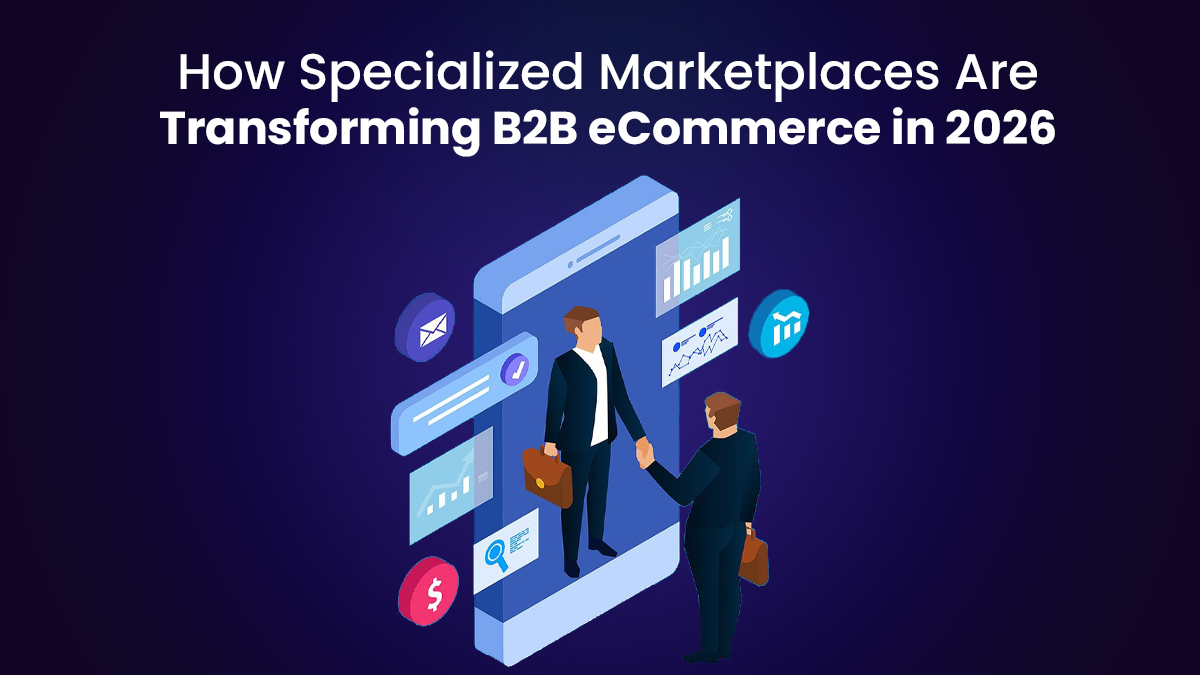
The world of B2B eCommerce is changing fast, and specialized marketplaces are leading the way in 2026. These platforms focus on specific industries like fashion, electronics, or eco-friendly packaging, making it easier for businesses to buy and sell what they need. Unlike general platforms like Amazon or Alibaba, specialized marketplaces like eBOS offer tailored solutions that fit unique industry needs. Let’s explore how they’re shaking things up this year.
Why Specialized Marketplaces Matter
Specialized marketplaces are like online stores built for specific industries. They solve problems that big, general platforms can’t. For example, a business looking for sustainable packaging doesn’t want to scroll through thousands of unrelated products. A niche marketplace offers only what’s relevant, saving time and effort. These platforms also understand the unique needs of industries, like complex supply chains or large order volumes, and provide tools to make transactions smoother.
Technology Is Driving Change
In 2026, technology is a game-changer for these marketplaces. Here’s how:
Automation: Tasks like managing orders, invoices, and customer messages are now automated. This cuts down on mistakes and speeds up processes, making businesses more efficient.
AI and Analytics: Artificial intelligence helps buyers find the right products faster. By analyzing past purchases, AI suggests items that match a buyer’s needs, reducing decision time and increasing order values.
Real-Time Tools: Businesses can track inventory, check pricing, and manage orders instantly. This makes B2B transactions as easy as shopping on a B2C site like Amazon.
Benefits for Buyers and Sellers
Specialized marketplaces are transforming how businesses work by offering features general platforms can’t match:
Better Product Discovery: Focused catalogs make it easier to find exactly what you need. For example, a food service company can quickly find eco-friendly packaging on a niche platform.
Custom Features: These platforms offer tools like bulk shipping options, flexible delivery schedules, and payment terms like Net 30 or Net 60. This is perfect for industries with complex logistics.
Trust and Transparency: Many niche marketplaces verify suppliers to ensure quality and reliability. This builds trust, especially in sectors like healthcare or electronics, where fake products are a concern.
Industry-Specific Solutions
In 2026, more businesses are turning to marketplaces designed for their industry. For example, a platform for eco-friendly packaging connects food service businesses with sustainable suppliers. Another for electronics might offer verified manufacturers and detailed product specs. These platforms cater to specific needs, making it easier to form long-term partnerships.
Competing with the Big Players
Big platforms like Amazon Business are growing fast, with estimates suggesting they’re already a top player in B2B distribution. But there’s still room for niche marketplaces. They compete by offering specialized services that big platforms can’t, like industry-specific expertise or tailored logistics. Smaller businesses, in particular, benefit from these platforms because they can reach new customers without huge marketing budgets.
The Future of B2B eCommerce
Looking ahead, specialized marketplaces will keep growing. By 2030, experts predict more platforms will merge or expand into related industries, creating larger digital ecosystems. AI will play a bigger role, automating everything from contract negotiations to supply chain management. These platforms are also replacing traditional trade shows, letting businesses connect and close deals online.
How to Get Started
If you’re a B2B business, now’s the time to explore specialized marketplaces. Platforms like Shipturtle, paired with Shopify, let you launch a niche marketplace without coding. They offer tools for automation, vendor management, and scalability, making it easy to get started. Whether you’re a buyer or seller, these platforms can help you work smarter, not harder.
Final Thoughts
Specialized marketplaces are changing B2B eCommerce in 2026 by offering tailored solutions, smarter technology, and better trust. They make it easier for businesses to find what they need, streamline operations, and build strong partnerships. As these platforms grow, they’re giving businesses of all sizes a chance to compete in a digital world.
Whether it’s transitioning to cloud-native platforms, adopting microservices, or upgrading legacy systems, modernization unlocks scalability, performance, and agility. At the heart of this transformation lies data migration—the critical process of transferring data from outdated systems to modern environments. However, data migration is fraught with challenges, from data loss risks to compatibility issues. To succeed, organizations must strike a careful balance between automation and developer expertise.
Why Data Migration Matters in Modernization
Data is the lifeblood of any organization and migrating it during software modernization ensures business continuity and operational success. Whether moving customer records to a new CRM, shifting transactional data to a cloud database, or consolidating siloed datasets, data migration bridges the gap between legacy and modern systems.
Legacy systems, often built on monolithic architectures or proprietary formats, present unique hurdles. Data may be poorly documented, stored in incompatible formats, or tied to outdated databases. These complexities make migration a high-stakes process, where mistakes can lead to costly downtime, data corruption, or compliance violations. A well-executed migration strategy is essential to avoid these pitfalls.
The Power of Automation in Data Migration
Automation is a game-changer for data migration, offering speed, consistency, and scalability. Modern tools like AWS Database Migration Service, Google Cloud Data Transfer, or Apache NiFi streamline key tasks, including:
Data Extraction: Automatically pulling data from legacy systems, even those with complex or proprietary formats.
Transformation: Mapping and converting data to fit the target system’s schema.
Loading: Transferring data to the new environment with minimal disruption.
Validation: Running automated checks to ensure data integrity and accuracy.
By automating repetitive tasks, these tools reduce manual effort and human error while accelerating timelines. For instance, schema mapping tools can align data structures in minutes, and ETL (Extract, Transform, Load) pipelines efficiently handle large datasets. In scenarios with standardized data formats or high volumes, automation is indispensable, allowing teams to focus on strategic priorities.
However, automation has its limits. Legacy systems often harbor undocumented quirks, inconsistent data, or unique business rules that automated tools struggle to interpret. This is where developer expertise becomes critical.
The Essential Role of Developer Expertise
While automation excels at scale, developers bring the problem-solving skills, domain knowledge, and adaptability needed to tackle complex migration challenges. Their expertise is vital in areas where automation falls short:
Decoding Legacy Systems: Many legacy systems lack documentation or rely on custom configurations. Developers can reverse-engineer these systems to ensure accurate data extraction.
Managing Edge Cases: Anomalies like corrupted data, inconsistent formats, or unique business logic require custom solutions. Developers can write scripts or logic to handle these exceptions.
Ensuring Compliance: Regulations like GDPR, HIPAA, or CCPA demand careful data handling. Developers implement encryption, anonymization, or audit trails to meet compliance requirements.
Optimizing Performance: Developers fine-tune migration processes, such as optimizing queries or batching data transfers, to minimize downtime and ensure smooth operations.
Striking the Right Balance: A Hybrid Approach
The most effective data migration strategies combine automation’s efficiency with developer expertise. Here’s how organizations can achieve this balance:
Conduct a Thorough Assessment: Start by analyzing the legacy system, target environment, data volume, and potential risks. This helps determine which tasks are suited for automation and which require developer intervention.
Automate Repetitive Tasks: Use tools to handle high-volume, predictable tasks like schema mapping, data extraction, and validation. This maximizes efficiency and frees up developers for complex challenges.
Empower Developers for Customization: Provide developers with the tools and flexibility to address edge cases, compliance needs, and performance optimizations. Foster collaboration between developers and data engineers to refine automated pipelines.
Implement Rigorous Testing: Use automated tests for broad validation and developer-led checks for edge cases to ensure data integrity and compliance.
Adopt an Iterative Approach: Start with a pilot phase to identify issues early. Monitor performance metrics and adjust the process as needed.
Document Everything: Maintain detailed records of the migration process, including custom scripts and configurations, to support future migrations and knowledge sharing.
A Real-World Example
Consider a retail company migrating its customer database from a 15-year-old on-premises system to a cloud-based CRM. Automation tools efficiently handled 90% of the migration, mapping standard fields like names, emails, and purchase histories. However, the legacy system included custom fields unique to the business, which automation couldn’t process. Developers analyzed the data, wrote custom transformation logic, and validated the results, ensuring a seamless migration with zero data loss and minimal downtime.
Looking Ahead
Data migration is a critical component of software modernization, and success hinges on balancing automation with developer expertise. Automation drives efficiency and scale, while developers provide the insight and flexibility needed to navigate complexities. By adopting a hybrid approach—leveraging tools for repetitive tasks and developers for nuanced challenges—organizations can minimize risks, ensure compliance, and achieve a smooth transition.
As you embark on your next modernization journey, consider how your team balances automation and expertise in data migration.
In a microservices architecture, ensuring data consistency across distributed services is a critical challenge. Unlike monolithic systems, where a single database enforces consistency, microservices often maintain separate databases, leading to eventual consistency scenarios. This blog explores four advanced patterns for achieving data consistency in microservices: Saga, Event Sourcing, CQRS, and Compensating Transactions. We’ll discuss their mechanics, use cases, and real-world examples from Amazon, Netflix, Uber, and Etsy, using technical insights to guide architects and developers.
1. Saga Pattern
The Saga pattern orchestrates a series of local transactions across microservices, ensuring consistency without relying on distributed transactions. Each service performs its operation and emits an event to trigger the next step. If a step fails, compensating actions roll back prior operations.
How It Works
Choreography: Services communicate via events (e.g., through a message broker like Kafka or RabbitMQ). Each service listens for events, performs its task, and emits a new event. For example, in an e-commerce system, an Order Service might emit an OrderPlaced event, prompting the Payment Service to process payment and emit a PaymentProcessed event.
Orchestration: A central orchestrator (a dedicated service) coordinates the saga, invoking each service and handling failures by triggering compensating actions.
Compensation: Each service defines a compensating transaction to undo its operation if the saga fails. For instance, if inventory allocation fails, the Payment Service refunds the payment.
Use Cases
Long-running business processes, like order fulfillment or booking systems.
Systems requiring high availability over strict consistency.
Trade-offs
Pros: Avoids distributed transactions, scales well, and decouples services.
Cons: Complex to implement, especially compensating logic. Requires careful event ordering and idempotency to prevent duplicate processing.
Example
Consider an order processing saga:
Order Service creates an order and emits OrderCreated.
Inventory Service reserves stock and emits StockReserved.
Payment Service processes payment and emits PaymentProcessed.
If Payment Service fails, it emits PaymentFailed, triggering Inventory Service to release stock and Order Service to cancel the order.
Real-World Example: Amazon
Amazon’s e-commerce platform uses the Saga pattern for order processing. When a customer places an order, services like Order Management, Inventory, Payment, and Shipping coordinate via events. If payment fails, compensating actions (e.g., releasing reserved inventory) ensure consistency across services.
2. Event Sourcing
Event Sourcing persists the state of a system as a sequence of events rather than snapshots of data. Each event represents a state change, and the current state is derived by replaying events. This ensures consistency across services by providing a single source of truth.
How It Works
Each service stores its actions as events in an event store (e.g., EventStoreDB or a custom solution using Kafka).
Services subscribe to relevant events to update their local state or trigger actions.
To reconstruct state, a service replays events from the event store. For performance, snapshots can periodically capture the current state.
Example: In a banking system, a user’s account balance is derived from events like DepositMade, WithdrawalMade, or TransferInitiated.
Use Cases
Audit-heavy systems, like financial or healthcare applications.
Systems requiring historical data analysis or debugging.
Trade-offs
Pros: Provides a reliable audit trail, enables state reconstruction, and supports eventual consistency.
Cons: Complex to implement, requires significant storage for events, and demands careful event schema management to avoid versioning issues.
Example
A microservice handling user profiles might store events like UserRegistered, ProfileUpdated, or AccountDeactivated. To display a user’s current profile, the service replays these events. If another service (e.g., Notification Service) needs profile data, it subscribes to these events and maintains its own view.
Real-World Example: Netflix
Netflix employs Event Sourcing for its billing and subscription management. Events like SubscriptionStarted, PaymentProcessed, or PlanChanged are stored and replayed to compute a user’s current subscription state, ensuring consistency and enabling audit trails for billing disputes.
CQRS separates read and write operations into distinct models, allowing optimized data handling for each. In microservices, this often pairs with Event Sourcing to maintain consistency across read and write databases.
How It Works
Command Side: Handles write operations (e.g., updating a database). Commands modify state and emit events.
Query Side: Handles read operations, often using a denormalized view optimized for queries. The query model is updated by subscribing to events from the command side.
Syncing: Events propagate changes from the write model to the read model, ensuring eventual consistency.
Example: In a retail system, the command side processes AddToCart commands, while the query side serves GetCartContents requests from a materialized view.
Use Cases
Systems with high read/write disparity, like real-time analytics or e-commerce platforms.
Applications needing optimized query performance or complex write logic.
Trade-offs
Pros: Improves scalability by separating read/write concerns, enables optimized data models.
Cons: Increases complexity, requires synchronization logic, and may lead to eventual consistency challenges.
Example
A microservice for product reviews might use CQRS to handle writes (submitting reviews) and reads (displaying average ratings). The write model stores review events, while the read model maintains a precomputed average rating for fast queries.
Real-World Example: Uber
Uber uses CQRS for its trip management system. The command side processes ride requests and updates (e.g., RideRequested, DriverAssigned), while the query side provides real-time trip status to users via optimized read models, ensuring fast access to trip data.
4. Compensating Transactions
Compensating Transactions (or compensating actions) provide a mechanism to undo changes when a distributed transaction fails. Unlike ACID transactions, they rely on application-level logic to reverse operations, often used in conjunction with the Saga pattern.
How It Works
Each service defines a compensating action for every operation. For example, if a Booking Service reserves a hotel room, its compensating action is to cancel the reservation.
If a transaction fails, the system invokes compensating actions for all completed steps in reverse order.
Idempotency is critical to ensure retries or duplicate invocations don’t cause side effects.
Example: In a travel booking system, if payment fails after reserving a flight, the system cancels the flight reservation.
Use Cases
Distributed workflows where rollback is necessary, like travel or financial systems.
Scenarios where eventual consistency is acceptable.
Trade-offs
Pros: Simplifies rollback in distributed systems, avoids two-phase commit overhead.
Cons: Requires careful design of compensating logic, can be error-prone if not idempotent, and may leave temporary inconsistencies.
Example
In a payment processing system:
Order Service places an order.
Payment Service deducts funds.
If inventory allocation fails, Payment Service issues a refund, and Order Service cancels the order.
Real-World Example: Etsy
Etsy’s marketplace leverages Compensating Transactions for order fulfillment. If a seller cannot fulfill an item after payment, compensating actions like issuing refunds or notifying buyers are triggered to maintain consistency across payment and order services.
Best Practices for Data Consistency
Idempotency: Ensure services handle duplicate events or commands gracefully using unique identifiers.
Monitoring and Logging: Use distributed tracing (e.g., Jaeger, Zipkin) to track saga progress and diagnose failures.
Event Schema Management: Define clear event schemas and handle versioning to prevent breaking changes.
Resilience: Implement retries, dead-letter queues, and circuit breakers to handle transient failures.
Testing: Simulate failures and compensating actions to validate rollback logic.
Conclusion
Achieving data consistency in microservices requires balancing complexity, performance, and reliability. The Saga pattern, used by Amazon, excels in orchestrating distributed workflows. Event Sourcing, adopted by Netflix, provides auditability and state reconstruction. CQRS, implemented by Uber, optimizes read/write performance. Compensating Transactions, employed by Etsy, ensure robust rollbacks. By understanding their trade-offs and applying best practices like idempotency and monitoring, architects can design resilient systems that meet business needs. Choose the pattern(s) based on your application’s consistency, scalability, and complexity requirements.
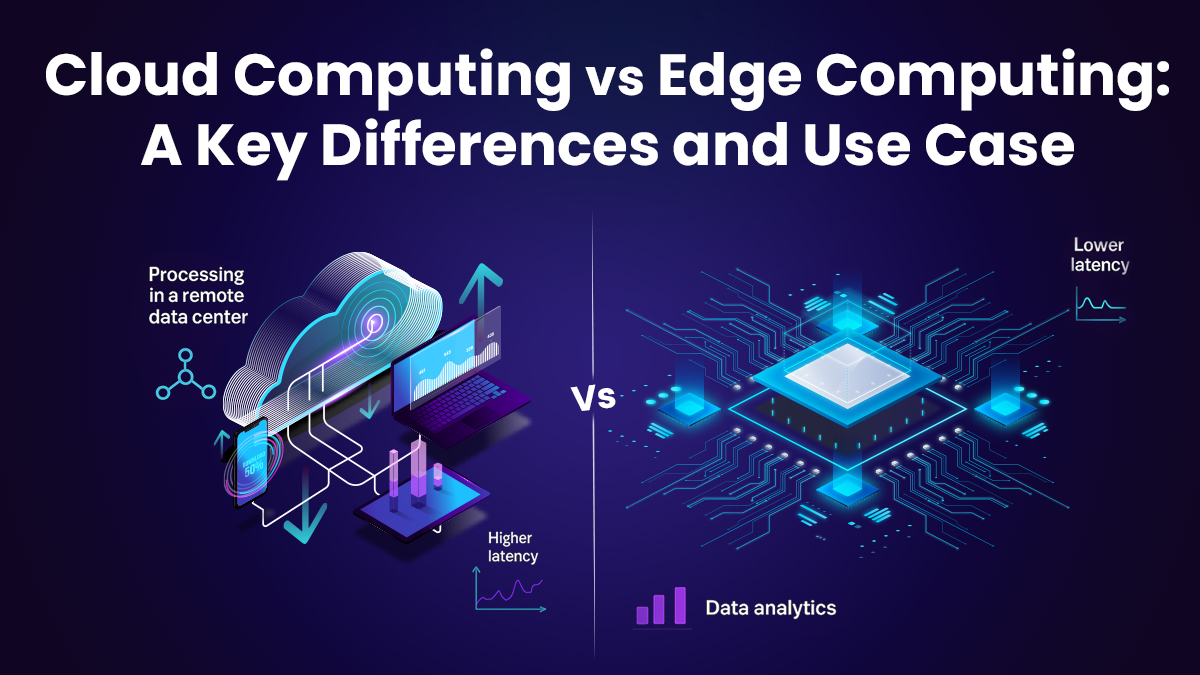
In the ever-evolving landscape of distributed systems, two paradigms dominate the conversation: Edge Computing and Cloud Computing. While both aim to process and manage data efficiently, they diverge in architecture, latency profiles, and ideal use cases. This post unpacks their core differences, trade-offs, and real-world applications, all through a techy lens.
What is Cloud Computing?
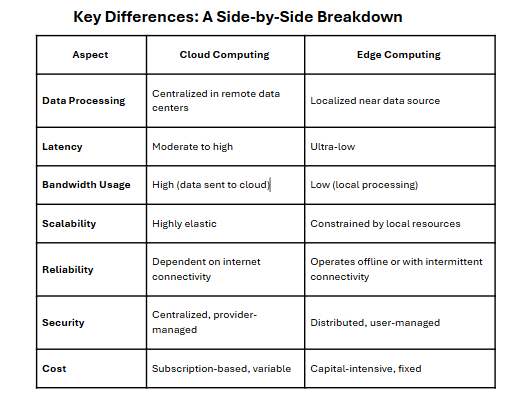
Cloud Computing centralizes data processing and storage in massive, remote data centers operated by providers like AWS, Azure, or Google Cloud. Think of it as a heavy weight server farm accessible over the internet, delivering scalable compute power, storage, and services on-demand.
Architecture: Centralized, with data traveling to and from distant servers.
Latency: Higher due to network hops, typically 50-200ms round-trip depending on geography.
Scalability: Near-infinite, with elastic resource allocation.
Cost Model: Pay-as-you-go, often with egress bandwidth charges.
Edge Computing pushes processing closer to the data source—think IoT devices, local gateways, or on-premise servers. It’s about minimizing latency and bandwidth by handling compute tasks at the network’s periphery.
Architecture: Decentralized, with compute nodes near or at the data origin.
Latency: Ultra-low, often <10ms, critical for real-time applications.
Scalability: Limited by local hardware, though hybrid models integrate with cloud.
Management: Often user-managed, requiring local expertise.
Cloud Computing Vs. Edge Computing
Use Cases
Cloud Computing Use Cases
Cloud Computing thrives in scenarios demanding massive scale, centralized management, and flexible resource allocation. Its sweet spot includes:
Big Data Analytics: Processing petabytes of data for machine learning models or business intelligence dashboards. Example: Running Spark clusters on AWS EMR to analyze customer behavior.
Web Applications: Hosting scalable SaaS platforms like CRMs or e-commerce sites. Think Shopify or Salesforce, leveraging cloud elasticity for traffic spikes.
Backup and Disaster Recovery: Storing redundant data across geo-distributed regions for compliance and resilience.
DevOps Pipelines: CI/CD workflows on platforms like GitHub Actions or Jenkins, tapping cloud VMs for build and test environments.
The cloud’s centralized nature makes it ideal for workloads where latency isn’t mission-critical, and global accessibility is key.
Edge Computing Use Cases
Edge Computing dominates where low latency, local processing, or intermittent connectivity is non-negotiable. Its killer apps include:
IoT and Smart Devices: Real-time data processing in smart homes or industrial sensors. Example: A factory’s edge gateway analyzing vibration data to predict equipment failure.
Autonomous Vehicles: Split-second decision-making for navigation and obstacle avoidance, where cloud round-trips are too slow.
Retail and Point-of-Sale: Local processing for inventory management or personalized promotions in stores, even during network outages.
Telemedicine: Edge devices in remote clinics processing patient vitals for immediate diagnostics, minimizing reliance on spotty internet.
Edge excels in distributed, latency-sensitive environments, often complementing cloud for hybrid workflows.
Hybrid Models: The Best of Both Worlds
In practice, many deployments blend edge and cloud. Edge nodes handle real-time tasks, while the cloud aggregates data for long-term storage or heavy-duty analytics. For instance:
Smart Cities: Edge devices process traffic camera feeds locally to optimize signals, while cloud systems analyze historical patterns for urban planning.
Content Delivery Networks (CDNs): Edge servers cache video streams for low-latency delivery, with cloud backends managing global content distribution.
This hybrid approach balances immediacy with scalability, leveraging edge for speed and cloud for depth.
Trade-Offs and Considerations
Choosing between edge and cloud—or architecting a hybrid solution—hinges on your workload’s demands:
Latency Requirements: If sub-10ms response times are critical (e.g., robotics), edge is non-negotiable.
Data Volume: Massive datasets or archival needs favor the cloud’s storage scalability.
As 5G and satellite networks (like Starlink) shrink latency and boost connectivity, the lines between edge and cloud are blurring. Expect tighter integration, with edge nodes acting as cloud extensions, and frameworks like Kubernetes unifying orchestration across both. Emerging standards, such as Web Assembly for lightweight edge compute, will further bridge the gap.
Wrapping Up
Edge Computing and Cloud Computing aren’t rivals—they’re complementary tools in the modern tech stack. Cloud powers scalable, centralized workloads; edge delivers real-time, localized processing. By understanding their strengths and mapping them to your use case, you can architect systems that are both performant and cost-effective. Whether you’re building an IoT mesh, a global SaaS platform, or a hybrid smart grid, the choice between edge and cloud—or both—shapes the future of your infrastructure.
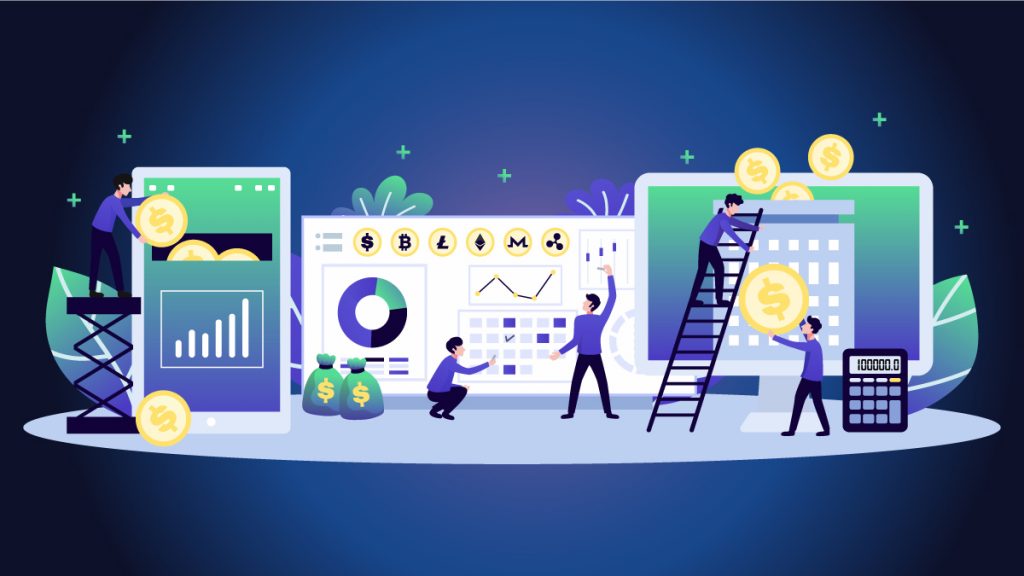
Developing a robust crowdfunding platform requires a strategic approach. To begin with one needs to set the requirements in place to define features like user registration, campaign management, payment processing, and social sharing. Ensure a secure architecture by integrating SSL encryption, secure payment gateways, and role-based access control to protect user data and transactions.
Next, focus on scalable development, using microservices and cloud infrastructure to handle varying loads. UX/UI design is crucial for user engagement; create an intuitive interface that simplifies campaign creation and donation processes.
Implement automated testing for functionality and security, ensuring a bug-free experience. Integrate analytics tools to track campaign performance and user behavior, providing insights for continuous improvement.
Finally, prepare for regulatory compliance, including GDPR and local financial regulations, to safeguard both the platform and its users. Continuous maintenance and updates will keep the software secure and relevant in the dynamic crowdfunding landscape.
Check out this Case Study where we worked to build a crowdfunding for Isha Foundation’s project ‘Kauveri Calling’. Understand the process that Fermion designed to achieve the numbers and make it scalable.