
0

9 Reasons Your E-Commerce App Is Losing Customers at Checkout (And How to Fix It)

9 Reasons Your E-Commerce App Is Losing Customers at Checkout (And How to Fix It)

You’ve done everything right. Your ads are converting. Your product pages are beautiful. Your reviews are glowing. And yet — customers are vanishing at the finish line. Cart abandonment hovers around **70% across the e-commerce industry**. That means for every 10 people who add something to their cart, 7 leave without buying. The checkout page is where trust, patience, and desire all converge — and where the smallest friction can cost you the sale.  
 
We have identified the nine most common reasons your checkout is leaking revenue, and exactly what to do about each one. 
 

1. Forced Account Creation 

You’ve spent money getting a customer to your app. They’ve found what they want. They’re ready to pay. Then you hit them with: “Create an account to continue.” 

That’s a hard stop. Customers don’t want a relationship with your brand right now — they want a product. Forced registration adds time, creates password fatigue, and signals that you care more about your CRM than their time. Studies consistently show this is the single biggest reason for checkout abandonment. 

How to fix it: 

  • Offer guest checkout as the default — not buried under a “Continue as guest” link in small text. 
  • After the purchase is complete, then invite them to save their details with a single click. 
  • Allow social login (Google, Apple) so returning users don’t need to remember a password. 
  • If accounts are essential for your business model, explain the benefit clearly: “Save your order history and get a faster checkout next time.” 

The rule is simple: never make registration a prerequisite to payment. 

2. Hidden Fees Revealed at the Last Step 

A customer sees a ₹999 product, adds it to cart, goes through the entire checkout process, and then sees ₹999 + ₹149 shipping + ₹89 handling + ₹112 GST = ₹1,349 at the final screen. That’s not a checkout — that’s a bait and switch. 

Price shock at the end destroys trust instantly. Even if the final price is fair, the feeling of being misled is enough to make someone close the app and buy elsewhere — often from a competitor who shows the same total but was upfront about it. 

How to fix it: 

  • Show a price breakdown on the product page — or at least at the cart stage — before entering checkout. 
  • Display shipping cost estimates based on location as early as possible. Even a range (“₹99–₹149 shipping”) is better than silence. 
  • If you offer free shipping above a threshold, show a progress bar: “Add ₹200 more for free delivery.” 
  • Make your tax and fee structure transparent. Customers don’t mind paying taxes — they mind surprises. 
     

Transparency isn’t just good ethics — it’s good business. Customers who know the real price upfront have already made the mental purchase before they reach checkout. 

3. Too Many Steps and Form Fields 

The average checkout asks for 15 to 20 form fields. Name, email, phone, address line 1, address line 2, city, state, pin code, country, card number, expiry, CVV, billing address, shipping address — and so on. Each field is micro-decision, and micro-decisions cause fatigue. 

On mobile — where more than 75–77% of e-commerce traffic now originates — typing through a 20-field form is genuinely painful. Small keyboards, autocorrect errors, and switching between numeric and alphabetic inputs all add up to a frustrating experience. 

How to fix it: 

  • Audit every field ruthlessly. Do you really need a phone number? A second address line? A fax number? Cut anything that isn’t essential to fulfillment. 
  • Use address autocomplete (Google Places API or similar) so users type three characters and pick their address from a dropdown. 
  • Enable autofill properly. Use correct HTML autocomplete attributes (autocomplete=”email”, autocomplete=”cc-number”, etc.) so browsers and password managers can fill in forms instantly. 
  • Offer one-page checkout or a clearly indicated 2-step flow. If you must use multiple steps, show a progress indicator so users know how close they are to done. 
  • For repeat customers, pre-fill saved details and let them confirm with a single tap. 
     

The goal is to get from “I want this” to “payment confirmed” in under 60 seconds. 

4. Slow Page Load Speed 

Every extra second your checkout page takes to load costs you sales — measurably. Research from Google shows that a 1-second delay in mobile page load can reduce conversions by up to 20%. At 3 seconds, a significant portion of users abandon entirely. 

Checkout pages are often the most JavaScript-heavy pages in an e-commerce app — payment SDKs, fraud detection scripts, analytics, A/B testing tools, and live chat widgets all load simultaneously. The result is a sluggish experience precisely when you need it to be instant. 

How to fix it: 

  • Audit your third-party scripts. Load payment and fraud scripts asynchronously and defer everything else until after the core checkout UI has rendered. 
  • Use lazy loading for non-critical elements (upsell widgets, chat buttons) so they don’t block the page. 
  • Enable server-side rendering or static generation for checkout page shells, so the initial paint is fast. 
  • Compress images, use CDN delivery, and implement HTTP/2. 
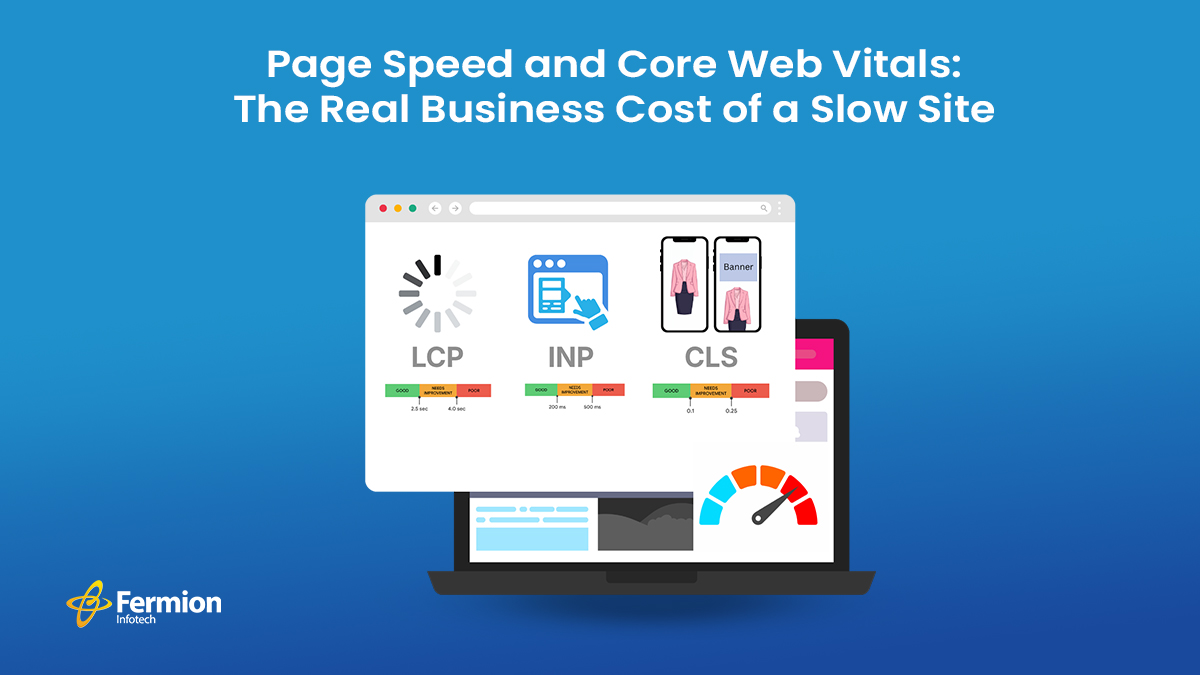
  • Measure with Core Web Vitals — specifically LCP (Largest Contentful Paint) and FID (First Input Delay) — and set performance budgets your team must maintain. 
     

A fast checkout isn’t a luxury — it’s a baseline expectation, especially on mobile networks. 

5. Too Few Payment Options 

The Indian e-commerce market is one of the most payment-method-diverse in the world. A significant portion of your customers want to pay via UPI. Others prefer EMI on their credit card. Some want to use their Paytm or PhonePe wallet. A growing segment expects Buy Now Pay Later options. And international customers need support for cards and PayPal. 

If your checkout offers only credit and debit cards, you’re turning away a large and growing share of potential buyers — not because they don’t want your product, but because you don’t accept their money. 

How to fix it: 

  • Integrate a full-stack payment gateway (Razorpay, PayU, Cashfree, or Stripe for international) that supports UPI, net banking, wallets, EMI, and cards in one integration. 
  • Display payment method icons prominently so customers can immediately see their preferred option is available — this alone reduces anxiety. 
  • Offer BNPL options (LazyPay, ZestMoney, Simpl) especially for higher average order values. 
  • For repeat customers, enable one-click payment by saving their preferred method securely. 
  • Test your payment flow on actual devices and networks — not just in a browser on a fast connection. 
     

Every payment method you add is a segment of customers you’re no longer losing. 

6. Lack of Trust Signals 

Entering payment details is an act of trust. Customers are handing over sensitive financial information to a brand — and at the moment of checkout, any doubt about security can make them hesitate. A missing padlock icon, an unfamiliar brand name, no visible return policy, or a checkout page that looks different from the rest of your app are all red flags that trigger subconscious alarm. 

First-time buyers are especially sensitive to this. They’re asking: “Is this site legitimate? Will I actually get my product? Can I return it if something’s wrong?” 

How to fix it: 

  • Display SSL/security badges visibly (Norton, McAfee, or even a simple padlock with “Secure checkout” text). 
  • Show your return and refund policy inline on the checkout page — a single sentence with a link is enough. 
  • Add customer review snippets or star ratings near the checkout button for the product being purchased. 
  • Display recognisable payment logos (Visa, Mastercard, UPI, RuPay) — signal legitimacy. 
  • If you’re a newer brand, include a money-back guarantee prominently. It removes the perceived risk of the first purchase. 
  • Ensure your checkout page branding is consistent with the rest of your app — same logo, same colors, same fonts. 
     

Trust isn’t one big thing — it’s an accumulation of small signals that together say “you’re safe here.” 

7. Poor Mobile Experience 

More than 60% of e-commerce transactions are now initiated on mobile — and yet checkout flows are still largely designed on desktop and adapted downward. The result is tap targets too small for thumbs, keyboards that pop up at the wrong time, buttons that fall below the fold, and payment fields that require pinching and zooming. 

Mobile users are also more likely to be interrupted, on slower connections, and multitasking. A checkout flow that requires focused attention and precise interaction on a small screen will bleed users constantly. 

How to fix it: 

  • Design checkout mobile-first, not desktop-first. 
  • Use the correct keyboard types for each input — inputmode=”numeric” for card numbers and OTP fields, inputmode=”email” for email, type=”tel” for phone numbers. The right keyboard means fewer errors and faster input. 
  • Make all tap targets at least 44×44px — the minimum recommended by Apple and Google for comfortable tapping. 
  • Use sticky CTAs — keep the “Place order” or “Pay now” button visible without scrolling. 
  • Test real mid-range Android devices on a 4G connection, not just the latest iPhone on Wi-Fi. That’s where most of your users are. 
  • Integrate native payment sheets — Google Pay and Apple Pay with a single tap bypass the entire form for users who have these set up. 
     

The mobile checkout experience is your checkout experience. Treat it accordingly. 

8. No Cart Recovery Mechanism 

Even a perfectly designed checkout will lose some users — life interrupts; price comparison happens; doubts arise. The difference between a good checkout strategy and a great one is what happens after someone leaves. 

Without a cart recovery system, every abandoned checkout is a permanent loss. With one, a significant percentage of those users can be brought back. 

How to fix it: 

  • Implement abandoned cart email sequences — a reminder at 1 hour, a follow-up at 24 hours, and a final nudge at 72 hours (optionally with a discount). Average recovery rates from email sequences range from 5% to 15%. 
  • Use push notifications for app users who’ve opted in — these have higher open rates than email. 
  • If the user has entered their email before abandoning, capture it — even partial checkout information is valuable for recovery. 
  • For logged-in users, persist the cart across sessions and devices. “Your cart is waiting” is one of the most effective re-engagement messages in e-commerce. 
  • Consider exit-intent overlays on web — a last-moment prompt (“Leave without your order? Here’s 10% off. Before the user navigates away. 
     

Cart’s recovery doesn’t fix a broken checkout — but it’s an essential safety net that turns a portion of abandonment into revenue. 

9. Vague or Unhelpful Error Messages 

Payment failures happen — cards get declined; OTPs expire; network timeouts occur. How your checkout handles these moments is the difference between a user who tries again and a user who gives up. 

“Payment failed. Please try again.” is not helpful. It doesn’t tell the user what went wrong, what they should do, or whether their money was charged. It creates anxiety, confusion, and often abandonment. 

How to fix it: 

  • Write specific, actionable error messages: “Your card was declined. Please check your card details or try a different payment method” is far better than “Transaction failed.” 
  • Tell users whether they were charged — this is the question everyone asks after a failed payment. Proactively answer it. 
  • If a specific payment method is failing, suggest an alternative: “UPI payment timed out. Would you like to try net banking or a card instead?” 
  • For OTP issues, provide a visible resend timer and a clear path to request a new code. 
  • Log payment failure reasons internally and monitor them — a spike in a particular error code often signals a gateway issue you can proactively fix. 
  • Test your error states intentionally during QA. Most teams test the happy path; the error path is where users actually need you most. 

Good error handling isn’t just UX polish — it’s a trust-builder. A checkout that handles problems gracefully makes customers confident enough to try again. 

The Bottom Line 

Start with the highest-impact fixes — guest checkout, fee transparency, and form simplification — and measure the change in your conversion rate before moving on. Even a 1% improvement in checkout conversion can mean a significant revenue uplift at scale. 

We’ve had the privilege of working with some of India’s most recognised retail and lifestyle brands — including OgaanGodrej, Aashni & Co., India Circus, Nykaa, and several other leading e-commerce names — helping them build checkout experiences that convert. Across these engagements, we’ve worked across multiple tech stacks and platforms, so wherever you are in your build, we speak your language. 

If you’re looking to build something similar — or fix a checkout that’s already losing you revenue — we’d love to hear from you.  

Reach out at  [email protected] 

0

Apple Goes All-In on AI — Everything Announced at WWDC 2026

Apple Goes All-In on AI — Everything Announced at WWDC 2026

Apple’s Worldwide Developers Conference 2026 was unlike any keynote in recent memory. This was Tim Cook’s final WWDC as CEO — he steps down September 1, handing the reins to hardware chief John Ternus — and Apple made sure to go out with a bang. The 90-minute keynote was a full-throated embrace of artificial intelligence, touching every platform from iPhone to Apple Watch to Vision Pro. 

At the centre of it all: a rebuilt Siri, a new operating system cadence (every platform moves to 27), a macOS named after San Francisco’s iconic Golden Gate Bridge, and over 250 new features baked into software updates rolling out this autumn.  
 
Here’s everything that was announced. 

Release Timeline 

Now 

Developer Beta 

July 2026 

Public Beta 

September 2026 

General Release 

All six OS updates are in developer beta now and expected to ship alongside the new iPhone lineup in September. 

Siri AI — The Biggest Upgrade Ever 

Years of promises finally materialised. Apple unveiled Siri AI — a ground-up rebuild of its voice assistant, powered under the hood by Google’s Gemini language models (a partnership reportedly worth $1 billion annually to Google). This is the delayed overhaul first teased at WWDC 2024, and it is finally real. 

Siri is now more conversational, contextually aware, and genuinely capable of multi-step reasoning. VP Mike Rockwell described it as “a profoundly more capable assistant.” In a live demo, Siri was asked for directions to a landmark seen in an Instagram post — and it handled it without hesitation. 

New: Siri gets its own app. A dedicated Siri chatbot app lets you revisit old conversations, generate text and images, analyse files, and ask questions — available on iPhone, iPad, and Mac. It syncs threads across all your devices. 

On iPhone models with a Dynamic Island, Siri’s animation now appears there instead of the bottom of the screen. A new swipe-down gesture from the middle of the screen brings up the Siri AI interface. Users can also choose a third-party model — including Claude or ChatGPT — as their default AI assistant in iOS 27. 

Siri AI is available across iOS, iPadOS, macOS, watchOS, visionOS, CarPlay, and AirPods at launch in English, with more languages coming soon. EU note: due to the EU’s Digital Markets Act, Siri AI will not launch on iPhone and iPad in Europe at launch, though Mac, Apple Watch, and Vision Pro users in the EU will receive it. 

Apple Intelligence — Woven into Everything 

Apple Intelligence is no longer a standalone feature — it’s the connective tissue running through the whole platform. Nearly every first-party app received some form of intelligence upgrade. 

Safari uses Apple Intelligence to smartly organise your tabs into topic groups. It can monitor pages and notify you of changes like price drops, restocks, or terms-of-service updates. You can also generate custom Safari extensions by simply describing what you want. 

Passwords gain agentic behaviour: Apple Intelligence can “agentically take action on your behalf,” navigating individual websites to update and fix weak or compromised credentials — all with a single tap. 

Messages get AI-powered reply suggestions. The Phone app can now pull context from Mail and Messages during a live call, surfacing relevant information mid-conversation. Shortcuts and the Home app also gain Apple Intelligence integrations. Writing tools — proofreading, rewriting, tone suggestions — are now system-wide, including in third-party apps. 

Advanced Apple Intelligence features require newer hardware (iPhone 16 series and up, recent Macs) due to the processing demands of on-device AI. 

iOS 27 — Speed, Polish, and New Powers 

iOS 27 is a broad update: performance improvements, much-requested refinements, and a smattering of new capabilities. App launches are reportedly up to 30% faster. No devices from iOS 26 are dropped — every iPhone from the iPhone 11 onwards is supported, which Apple deserves credit for. 

The rebuilt search foundation now powers Spotlight, Mail, and Photos, indexing new files “almost immediately.” iCloud Shared Albums now support full-resolution photos and will work cross-platform on Android and Windows. CarPlay gains video app support. The health app adds perimenopause and menopause tracking. AirPods get a customisable EQ setting. 

A small but intriguing detail: researchers found references to foldable device states buried in the iOS 27 developer beta — hints, perhaps, of what Ternus’s Apple might reveal at the iPhone event in September. 

macOS Golden Gate — The Post-Intel Era Begins 

macOS 27, named Golden Gate, officially ends support for Intel Macs. This is the clean break Apple has been building toward since the Apple Silicon transition began in 2020. The result is a leaner; faster OS tuned entirely for Apple’s own chips. 

On the design side, the Liquid Glass interface introduced last year receives a significant polish pass. Apple rebuilt the refraction layer for more uniform, consistent translucency across the system, and added a new system-wide opacity slider letting users tune transparency anywhere from fully clear to fully tinted — a direct response to widespread user feedback that Liquid Glass was too much. 

Siri AI on Mac lives inside Spotlight, and the Siri app is available for more extended research sessions. Visual Intelligence features — asking Siri about text and images on screen — are fully supported. 

Every Other Platform — A Quick Tour 

iPadOS 27 

Siri AI, Liquid Glass improvements, shared Apple Intelligence features, undo/redo Home Screen edits 

watchOS 27 

Dynamic app grid, new gesture controls, dedicated Siri app on Apple Watch 

visionOS 27 

Siri AI in virtual space, redesigned Control Center, panorama-to-spatial scene conversion 

tvOS 27 

AppleCare details in Settings, updated video podcast experience 

watchOS 27 is the standout non-iPhone update. The new dynamic app grid and gesture controls give the Apple Watch a significantly more modern feel, and Siri now has its own app on the wrist. Note that several older Apple Watch models — including the Series 8, Ultra 1, and SE 2 — will not receive the update. 

visionOS 27 brings Siri AI into the spatial computing world, and a new feature converts panorama photos into immersive spatial scenes. Control Center gets a redesign here too. 

Parental Controls & Child Safety 

With governments worldwide scrutinising tech companies on child safety, Apple dedicated notable keynote time to a major overhaul of parental controls. Child accounts are now mandatory for users under 13 and can remain active until 18. 

A child account “enables safeguards across the system, tailored to the child’s age,” according to Apple — covering app usage, website access in Safari, and broader system-level protections. Parents and guardians can approve specific websites and set granular app limits from their own device. 

Tim Cook’s Final WWDC 

WWDC 2026 carried an unusual emotional weight. Tim Cook, who has led Apple since Steve Jobs’s passing in 2011, addressed the developer community for the last time as CEO. He hands the role to John Ternus — Senior Vice President of Hardware Engineering — on September 1, 2026. 

“Over the years, you have helped people connect, create, learn, and experience the world in extraordinary new ways,” Cook told developers in a farewell message. Ternus, spotted at the pre-show media welcome, was reportedly mobbed for selfies. The transition to a hardware-first leader heading into what may be Apple’s first foldable iPhone moment is one of the most intriguing storylines in tech right now. 

The Bottom Line 

Apple used WWDC 2026 to announce something it almost never does that it was behind, and that it’s fixing it. The keynote opened with fixes before features — stability, performance, and trust before flashy new capabilities. That structural honesty, combined with a genuinely transformed Siri, suggests Apple is serious about catching up in the AI race. 

Whether Siri AI delivers on its ambitions in real-world use remains to be seen when the public beta lands in July. But on paper, this is the most consequential software event Apple has held in years — bookended by the farewell of the CEO who guided the company through its most profitable decade, and the prospect of a foldable iPhone lurking in the iOS 27 code. 

Reference: Coverage based on reporting from Engadget, TechCrunch, MacRumors, TechRadar, and CNBC. All software mentioned is subject to change before final release. 
© 2026 · Apple WWDC 2026 Roundup 

0

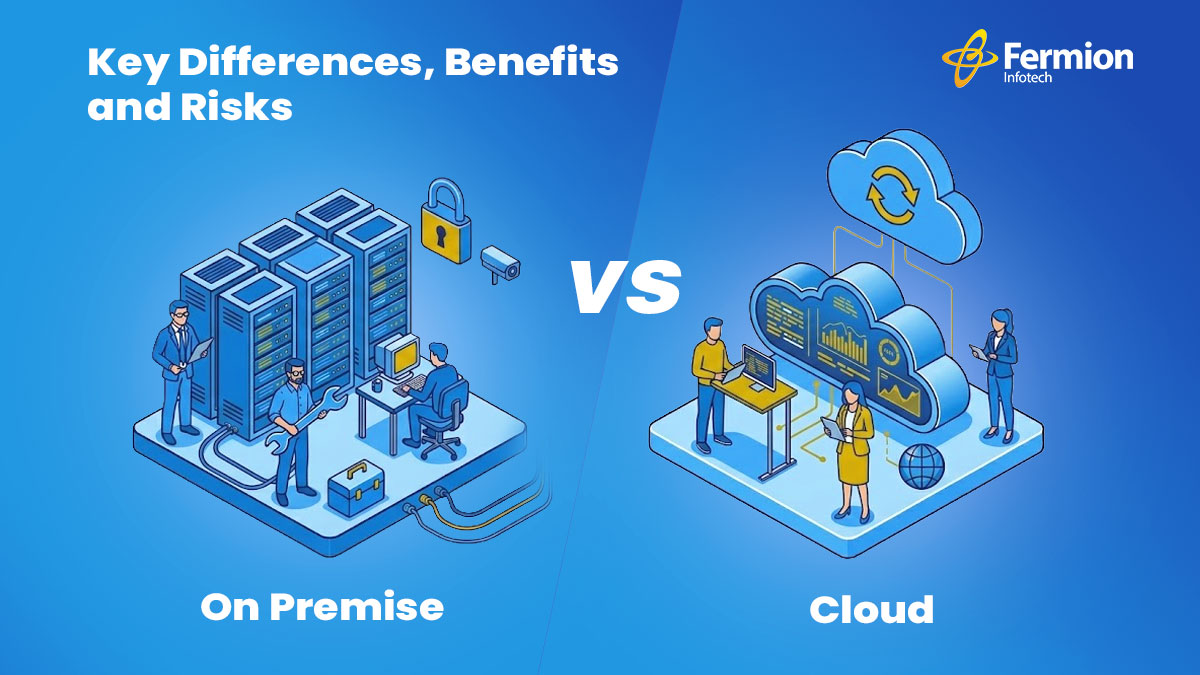
On Premise vs. Cloud: Key Differences, Benefits and Risks 

Every software project reaches a crossroads: where should your system live? On your own servers (on Premise), or in the cloud? It sounds technical, but the decision affects your budget, security, flexibility, and how fast you can grow. Let’s break it down — simply. 

What are they exactly? 

On Premise – You own everything 

Your software runs on physical servers that you buy, install, and manage — usually in your own office or a data center. Full control, but full responsibility too. 
 
Cloud – Someone else hosts it 

Your software runs on servers managed by providers like AWS, Azure, or Google Cloud. You pay for what you use and skip the hardware headaches. 

Key differences at a glance 

Cost structure 

On Premise — Big upfront investment. You buy servers, licenses, and pay IT staff to maintain them. It can cost less over many years if you scale carefully. 

Cloud — Pay-as-you-go. No large capital expenses. You pay monthly based on usage, which is great for growing businesses but can add fast at scale. 

Control & customization 

On Premise — You have complete control over hardware, software, and data. Highly customizable for specific business needs. 

Cloud — Limited by what the provider offers. Most enterprise needs are covered, but deep system-level customization has limits. 

Scalability 

On Premise — Scaling means buying more hardware. It takes time and budget. 

Cloud — Scale up or down in minutes. Perfect for businesses with fluctuating traffic or rapid growth. 

Maintenance 

On Premise — Your team handles everything: updates, patches, hardware failures. 

Cloud — The provider handles the infrastructure. Your team focuses on building, not babysitting servers. 

Benefits & risks 

On Premise 
 
Benefits 

Full data ownership and privacy 

Works without internet access 

Meets strict compliance needs 

No recurring subscription costs 

Risks 

High upfront hardware costs 

Slow to scale up or down 

Needs dedicated IT team 

Hardware can become outdated 

Cloud 

Benefits 

Scale instantly with demand 

Low starting cost, no hardware 

Accessible from anywhere 

Automatic updates & backups 

Risks 

Ongoing costs grow with scale 

Data lives on third-party servers 

Needs reliable internet 

Vendor lock-in risk 

So, which one should you choose? 

There’s no one-size-fits-all answer. If you need full control, work with sensitive data, or must meet strict regulations — on-premise gives you that peace of mind. If you need speed, flexibility, and want to focus on building your product rather than managing servers — the cloud is your friend. 

Many modern businesses go hybrid: keep critical data on-premise, and use the cloud for everything else. It’s the best of both worlds. 

Not sure what’s right for your project?  
 
We help software teams navigate infrastructure decisions and build systems that scale. 

Talk to our team! 


0

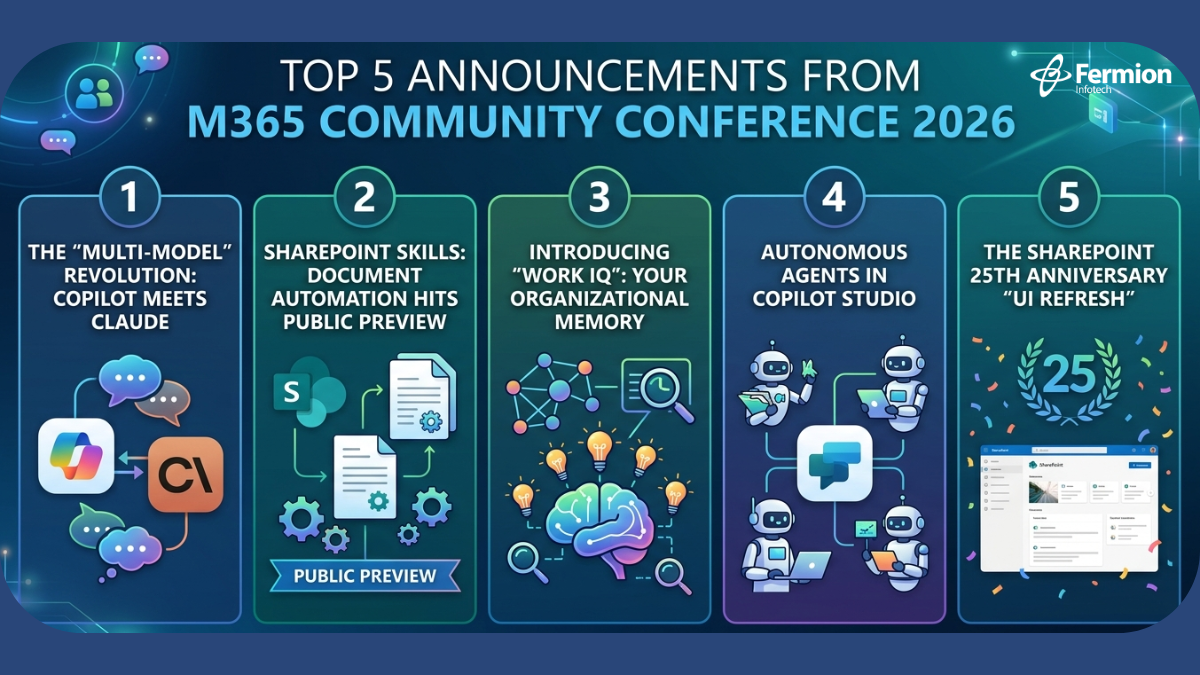
Top 5 Announcements from M365 Community Conference 2026

Top 5 Announcements from M365 Community Conference 2026

The Microsoft 365 Community Conference 2026 in Orlando has wrapped up, marking a significant shift toward the ‘Agentic Enterprise.  

We are officially moving past the “Assistant” era. Your digital workspace is no longer just a digital filing cabinet or a basic chatbot that waits for you to tell it what to do. Instead, it is becoming a living part of your team—one that actually understands and remembers how you work. 

Instead of just helping you write an email, the Agentic Enterprise handles the entire project flow. It knows your deadlines, remembers your team’s unique style, and acts before you even have to ask. 

Here are the top five breakthroughs from the keynote that will define your digital strategy for the next 12 months. 

1. The “Multi-Model” Revolution: Copilot Meets Claude 

In a move that surprised many, Microsoft announced that Microsoft 365 Copilot is moving toward a multi-model infrastructure. While GPT-4 remains a cornerstone, Copilot now supports integration with Anthropic’s Claude 3.5/4 and specialized internal models for specific tasks. 

  • Why it matters: This isn’t just about choice; it’s about latency and logic optimization. Different models excel at different tasks—Claude’s nuance in long-form creative reasoning combined with GPT’s coding prowess means your users get the best output regardless of the request. 
     
  • Leader Insight: This reduces “model lock-in” and ensures your M365 investment stays at the bleeding edge of LLM benchmarks without requiring a migration. 

2. SharePoint Skills: Document Automation Hits Public Preview 

The transition from SharePoint being a “file bucket” to an “active participant” is complete. SharePoint Skills has officially moved to Public Preview. This feature allows site owners to “teach” a site how to perform specific business processes using the documents it houses. 

  • The Workflow: Instead of just searching for an invoice, a SharePoint Skill can be triggered to “Summarize all unpaid invoices from Q1 and draft a follow-up email in the vendor’s local language.” 
     
  • The Impact: This is the beginning of zero-touch document processing. It shifts the burden of manual data entry onto the “Agentic” layer of your intranet. 

3. Introducing “Work IQ”: Your Organizational Memory 

Perhaps the most ambitious announcement was Work IQ. Microsoft describes this as the “Organizational Memory” layer of the Microsoft Graph. 

“Work IQ doesn’t just know what you wrote; it knows what the organization intended.” — Jeff Teper, Keynote 2026 

  • How it works: Work IQ analyzes patterns across Teams meetings, emails, and SharePoint files to create a persistent knowledge graph. When a new employee asks a question, Work IQ provides answers based on the history of the company’s decision-making process, not just keywords. 
     
  • Security Note: Work IQ respects all existing Purview permissions, ensuring “organizational memory” doesn’t become “unauthorized access.” 

4. Autonomous Agents in Copilot Studio 

The conference marked a major pivot from “assistants” to “agents.” Copilot Studio now allows for the creation of Autonomous Agents that can be triggered by external events (like a CRM update) rather than just a human prompt. 

  • Strategic Use Case: An agent can now monitor a shared mailbox, verify an attachment against a SharePoint list, update your ERP, and notify a Teams channel—all without a human needing to type a single prompt. 
     
  • IT Oversight: New “Agentic Governance” dashboards were introduced in the M365 Admin Center to help you track what these agents are doing and which data they are consuming. 

5. The SharePoint 25th Anniversary “UI Refresh” 

To celebrate 25 years of SharePoint, Microsoft unveiled a total UI overhaul that integrates Aero Glass 3.0 aesthetics with AI-driven navigation. 

  • The Shift: Navigation is moving from static “mega-menus” to Contextual Portals. The intranet will now morph based on the user’s current project, surfacing the most relevant Work IQ insights and SharePoint Skills automatically. 

Summary 

A key takeaway from the M365 Community Conference 2026 is that the era of AI agents has arrived. Rather than focusing solely on user prompts, the strategic priority is now on building the Work IQ and SharePoint skills that allow AI to operate seamlessly in the background.  
 
High-quality data hygiene in SharePoint is a prerequisite for any successful pilot, as it directly impacts the performance of these intelligent systems. 

0

Custom AI vs. Off-the-Shelf Plugins: Which is the Right Investment for Your Business?

Custom AI vs. Off-the-Shelf Plugins: Which is the Right Investment for Your Business

Speed or Sovereignty? That is the core of the AI debate. Choosing between an off-the-shelf plugin and a custom-built solution is a high-stakes decision that impacts your data, your budget, and your competitive edge.  

Here is how to look past the hype and choose the investment that actually scales with your business. 

Understanding the Two Paths: Build vs. Buy 

1. Off-the-Shelf AI Plugins (The “Buy” Route) 

These are pre-built tools designed for broad applicability and fast deployment. 

  • Best for: Speed, low technical overhead, and standardizing common tasks. 

2. Custom AI Solutions (The “Build” Route) 

These are purpose-built for your specific data, proprietary workflows, and unique business logic. 

  • Requirements: Investment in development, data infrastructure, and ongoing maintenance. 
     
  • Best for: Competitive differentiation and handling sensitive, proprietary data. 

When Off-the-Shelf Plugins Make Sense 

Plugins deliver strong ROI when your needs are well-defined and widely shared across your industry. 

  • Low AI Maturity: They let your organization build internal comfort with AI tools without a massive upfront investment. 
     
  • Commoditized Tasks: If you want AI-powered meeting summaries or basic customer sentiment analysis, a mature plugin solves the problem at a fraction of the cost. 
     
  • Proof of Concept: Use plugins to identify real friction points before deciding if a custom build is even warranted. 

When Custom AI Justifies the Investment 

Custom development is a strategic asset when your competitive advantage depends on intelligence that cannot be purchased by your competitors. 

  • Proprietary Data: If you have years of unique transaction history or operational patterns, a generic model cannot extract the same value that a purpose-trained system can. 
  • Strict Compliance: In regulated industries like finance or healthcare, sending sensitive info to third-party SaaS platforms is often a non-starter. Private-cloud AI is a necessity, not a luxury. 
     
  • Economics of Scale: At a certain volume, the cost per query for a custom system becomes significantly cheaper than paying monthly per-seat licenses for a hundred employees. 

Finally, at sufficient scale, the economics shift. A custom system amortized over millions of queries often outperforms the cumulative cost of per-seat plugin licensing — especially as usage grows. 

The hybrid approach: a practical middle ground 

Many enterprises find success with a staged strategy: deploy off-the-shelf tools immediately to capture near-term productivity gains, while investing in custom infrastructure for the one or two use cases that are genuinely differentiating. This avoids the false choice between “build everything” and “buy everything.” 

The key is identifying which workflows benefit from standardization and which require proprietary intelligence. A sales team’s email assistant probably doesn’t need to be custom-built. Your demand forecasting model, trained on five years of your own supply chain data, probably does. 

Questions to ask before deciding 

Before committing either way, work through these questions: 

  • Does the use case rely on data that only your organization has?  
  • Is the process you’re automating a source of competitive differentiation, or is it operational overhead?  
  • What is the true total cost of ownership for each option — including integration, training, and maintenance?  
  • Does your team have, or can it acquire, the capability to support a custom build?  
  • And what happens to your strategy if the plugin vendor changes pricing, discontinues the product, or is acquired? 

Bottom line 

Off-the-shelf plugins are excellent tools for moving quickly, reducing friction, and building AI literacy in your organization. Custom AI is a strategic asset when your data and workflows are genuinely unique. The most effective businesses use both — intentionally, and for different purposes. 


0

A Step-by-Step Guide to Integrating AI Chatbots into Your Magento Store

Integration of AI Chatbots

Integrating a smart AI chatbot is one of the fastest ways for Magento merchants to lower overhead and increase conversion rates. But where do you start? From choosing the right provider to technical deployment, here is your step-by-step roadmap to launching a chatbot that delivers results. 

Why your Magento store needs an AI chatbot 

Magento powers some of the world’s largest e-commerce automation operations, but even the best storefronts can’t staff a support team around the clock. An AI chatbot fills that gap — answering product questions, processing order status requests, and guiding shoppers to checkout, 24/7. 

  • Instant responses 
  • Resolve FAQs and order queries in seconds, not hours. 
  • Higher conversions 
  • Guide undecided shoppers toward the right product and reduce cart abandonment. 
  • Lower support cost 
  • Deflect repetitive tickets, so your team focuses on complex issues. 

Choose your AI chatbot for Magento platform 

Before writing a single line of code, decide which platform fits your requirements. Key factors to evaluate include native Magento integration for e-commerce platform, support for custom training data, conversational AI quality, and pricing model. 

  • Tidio 
  • Gorgias 
  • Intercom Fin 
  • Freshchat 
  • Custom (OpenAI API) 
  • Zendesk AI 

Set up your Magento environment 

A clean, well-configured Magento environment is the foundation. Before proceeding, ensure the following are in place: 

  • Magento 2.4.x installed (cloud or on-premise) 
  • Admin API access enabled with appropriate scope 
  • HTTPS enforced site-wide (mandatory for third-party widget trust) 
  • Composer and CLI access for module installation 
  • Staging environment ready for pre-live testing 

Install & configure the chatbot 

Installation method depends on your chosen platform. For a Composer-based Magento module (typical for self-hosted or custom solutions), the flow looks like this: 

The image displays a series of terminal commands for installing and enabling a chatbot module in a Magento environment.

For SaaS platforms (Tidio, Gorgias etc.), you’ll typically paste a JavaScript snippet into your Magento theme’s default_head_blocks.xml or use their dedicated Magento extension from the Marketplace. 

Connect to Magento data sources 

The real power of an AI chatbot  comes from connecting it to live Magento data — product catalogue, inventory, customer orders, and promotions. Use Magento’s REST or GraphQL API to expose these data sources to your chatbot backend. 

An image showing a code snippet in a dark-themed text editor. The code is written in JavaScript and demonstrates how to fetch order status using the Magento REST API.

Pipe this data into your AI chatbot’s context so it can answer “Where is my order?” questions with real-time accuracy rather than canned responses. 

Train the bot on your catalogue 

Upload your product descriptions, FAQs, shipping policies, return policies, and brand tone-of-voice guidelines to your chatbot’s knowledge base. For LLM-backed bots, this usually means creating a vector store or retrieval-augmented generation (RAG) pipeline. 

  • Export product data as structured JSON or CSV 
  • Chunk and embed documents into a vector database (e.g. Pinecone, pgvector) 
  • Write a system prompt that defines bot persona, scope, and escalation rules 
  • Schedule nightly re-indexing to keep catalogue data fresh 

Test before you go live 

Never push directly to production. On your staging environment, run through these scenarios systematically: 

  • Product search and recommendations 
  • Order tracking with real and dummy order IDs 
  • Returns and refund policy queries 
  • Edge cases: out-of-scope questions, abusive input, language switching 
  • Mobile responsiveness of the chat widget 
  • Page load performance impact (target: <200ms additional LCP) 

Monitor, optimise & scale 

Going live is the beginning, not the end. Track these metrics weekly to continually improve bot performance: 

  • Resolution rate — % of conversations resolved without human handoff 
  • CSAT score — post-conversation satisfaction rating 
  • Conversion lift — sessions with chatbot vs. without 
  • Fallback rate — how often the bot says “I don’t know” 
  • Top unanswered intents — feed these back into training data 

As confidence grows, expand the bot’s scope: proactive cart-abandonment nudges, upsell recommendations at checkout, post-purchase follow-up flows, and multilingual support for new markets. 

Ready to build your Magento AI chatbot? 

Our team at Fermion Infotech specialises in custom AI integrations for e-commerce platforms. Whether you need a quick SaaS setup or a fully bespoke RAG-powered assistant, we can help you ship it fast. 


0

Agentic AI for SMEs: Beyond Chatbots, Towards Autonomous Operations 

Imagine this: It’s a busy Monday morning. Instead of your customer service team sifting through refund requests or your operations manager manually checking inventory levels, intelligent AI systems are autonomously handling these tasks. They’re not just answering questions; they’re acting. 

This isn’t science fiction for large enterprises anymore. This is the promise of Agentic AI for Small and Medium-sized Enterprises (SMEs), and it’s a monumental leap beyond the basic chatbots many businesses currently employ. Let’s discover how agentic AI helps SME’s work faster!

This isn’t science fiction for large enterprises anymore. This is the promise of Agentic AI for Small and Medium-sized Enterprises (SMEs), and it’s a monumental leap beyond the basic chatbots many businesses currently employ. Let’s discover how

The Chatbot Bottleneck: A Good Start, But Limited 

Chatbots have undeniably brought efficiency to customer service. They can answer FAQs, guide users, and even handle simple transactions. However, their limitations quickly become apparent: 

  • Rule-Based Rigidity: Many chatbots follow predefined scripts. Deviate from the script, and they often get stuck, requiring human intervention. 
  • Lack of Context: They struggle to remember past interactions or understand nuanced situations. Each new query is often treated in isolation. 
  • Zero Autonomy: Chatbots are primarily reactive. They respond when prompted but can’t initiate actions, learn from outcomes, or make decisions. 
  • Integration Headaches: Connecting them deeply with backend systems for complex tasks can be cumbersome and expensive for SMEs. 

This leads to frustrated customers and still overburdened staff. The vision of a truly autonomous digital assistant remains elusive with traditional chatbot technology. 

Enter Agentic AI: The Evolution of Intelligent Automation 

Agentic AI, also known as AI Agents or Autonomous Agents, represents a paradigm shift. Unlike passive chatbots, AI Agents are designed with several critical capabilities: 

  1. Goal-Oriented: They are given a specific objective (e.g., “process this refund,” “optimize inventory for next quarter”). 
  1. Autonomous Planning: They can break down complex goals into smaller, manageable steps. 
  1. Memory & Learning: They remember past interactions, learn from successes and failures, and adapt their strategies over time. 
  1. Tool Use: They can seamlessly integrate with and utilize various external systems (your ERP, CRM, payment gateways, e-commerce platform) to gather information and execute actions. 
  1. Proactive Execution: They don’t just wait for prompts; they can monitor conditions, identify opportunities, and initiate actions. 
  1. Self-Correction: If a step fails, they can often identify the issue, adjust their plan, and try again. 

Think of it less like a talking FAQ machine and more like a highly capable, self-directed virtual employee. 

Real-World Impact for SMEs: From Manual Drudgery to Autonomous Efficiency 

How does this translate into tangible benefits for your business? Let’s look at two critical areas: 

1. Revolutionizing Customer Service: Autonomous Refund Processing 

Imagine a customer initiates a refund request. Instead of a chatbot collecting details for a human agent to review, an AI Agents can: 

  • Verify Eligibility: Access your order management system to confirm purchase details, return policy compliance, and payment status. 
  • Initiate & Track: Automatically trigger the refund process through your payment gateway or accounting software. 
  • Communicate Proactively: Send automated, personalized updates to the customer regarding the status of their refund, estimated processing time, and confirmation of completion. 
  • Flag Exceptions: Only escalate truly complex or unusual cases that require human judgment, freeing up your team for high-value interactions. 

The result? Faster resolution times, higher customer satisfaction, and a significant reduction in the manual workload for your customer service team. Your AI agents become problem-solvers for the complex, not data entry clerks for the mundane. 

2. Mastering Operations: Intelligent Inventory Management 

For any e-commerce or retail SME, inventory is king – and often a constant headache. An AI Agent dedicated to inventory management can: 

  • Real-time Monitoring: Continuously track stock levels across all SKUs and locations. 
  • Demand Forecasting (Learned): Analyze sales data, seasonality, marketing campaigns, and even external factors (weather, holidays) to predict future demand with greater accuracy than static models. 
  • Automated Reordering: Generate purchase orders for suppliers when stock hits predefined (or dynamically adjusted) reorder points. 
  • Supplier Communication: Automatically send orders, track delivery schedules, and flag potential delays. 
  • Warehouse Optimization: Suggest optimal placement for incoming goods or recommend transfers between warehouses to minimize storage costs and maximize availability. 
  • Identify Trends: Proactively alert you to slow-moving inventory or potential stockouts for popular items. 

The result? Reduced carrying costs, minimized stockouts, optimized cash flow, and more efficient use of warehouse space. Your operations team shifts from reactive firefighting to strategic planning. 

Why Now? The Convergence of Power and Accessibility 

The rise of Agentic AI for SMEs isn’t accidental. It’s driven by: 

  • Advanced LLMs: Sophisticated Large Language Models provide the “brain” for AI agents to understand context and generate natural language. 
  • Improved APIs & Integrations: Modern software is designed to communicate, making it easier for AI agents to connect with various platforms. 
  • Cloud Computing Scalability: Accessible, on-demand computing power enables even smaller businesses to leverage these complex systems. 
  • Specialized Development Partners: Companies like Fermion Infotech are bridging the gap, making these advanced capabilities accessible and tailored to SME needs. 

Fermion Infotech: Your Partner in the Agentic AI Revolution 

At Fermion Infotech, we understand the unique challenges and opportunities for SMEs in today’s digital landscape. We specialize in building robust, scalable, and intelligent solutions that move beyond off-the-shelf tools. 

Our expertise in e-commerce, fintech, and AI/ML positions us perfectly to help you design and implement Agentic AI solutions that can: 

  • Streamline your operations. 
  • Enhance customer experiences. 
  • Drive efficiency and profitability. 

Stop just “chatting” with your technology. It’s time to empower it to act

Are you ready to explore how Agentic AI can transform your SME?  
 
Contact Fermion Infotech today for a consultation. 

6

How Zero-Click Automation is Defining India’s E-Commerce Future 

Zero-Click Automation in E- commerce

The traditional way of shopping, where we search, click, add to cart, and check out, is quickly becoming outdated. In markets like India, the new goal is “zero-click” purchasing. 

This means advanced tech like AI and smart home devices (IoT) are taking over. They look at your past purchases and routines to predict what you need (like milk or printer ink) and re-order it automatically. 

For tech companies, the job is to build software that makes this automation happen flawlessly, turning shopping into a completely invisible process. 
 
Fermion Infotech, best software development company in India, specializes in custom software solutions needed to make shopping instantaneous, invisible, and hyper-personalized. 

What is Zero-Click Shopping? 

Zero-Click Shopping, or Autonomous E-commerce, is the ability for consumers to complete a purchase without manually navigating a website, filling a cart, or even clicking a ‘Buy Now’ button. Instead, technology anticipates and executes the purchase instantly based on context, past behavior, and pre-set preferences. 

Key Zero-Click Channels: 

  • Voice Commerce (V-Commerce): Instant re-orders or personalized recommendations executed through smart speakers (like Amazon Alexa or Google Assistant) with a simple voice command. 
     
  • AI-Driven Auto-Replenishment: Systems, often linked to smart home devices or subscription models, automatically place an order when a product’s inventory is low (e.g., smart refrigerators ordering milk). 
     
  • Conversational Commerce: Using generative AI or advanced chatbots to handle the entire shopping process, from product discovery to secure payment, all within a messaging interface. 
     
  • Rich SERP Features: While often discussed in terms of search, the direct display of product details, pricing, and sometimes an immediate checkout option right on the Search Engine Results Page (SERP) is a powerful zero-click commerce vector. 

The Zero-Click Opportunity in the Indian Market 

India’s digital ecosystem is uniquely positioned for the zero-click revolution: 

  • Quick Commerce (Q-Commerce) Dominance: Indian consumers have embraced platforms like Zepto, Blinkit, and Swiggy Instamart for near-instant delivery of essentials. This rapid-delivery culture has normalized the idea of high-speed, minimal-friction transactions, setting the stage for full automation. 
     
  • UPI Automation & Subscriptions: The penetration of the Unified Payments Interface (UPI) and the rise of seamless auto-debit systems for subscription-based products (FMCG, beauty, wellness) provide the necessary frictionless payment infrastructure. 
     
  • ‘Hinglish’ and Voice Adoption: With a high mobile-first user base, voice search adoption, often in mixed languages (Hinglish), is rising. AI systems that can process and action complex, natural-language shopping requests are a major differentiator in the Indian market. 

The shift is clear: The consumer priority is moving from “convenience” to “instantaneous and invisible” purchasing. 

Software Solutions to Lead the Zero-Click Wave 

For businesses and Direct-to-Consumer (D2C) brands in India, embracing zero-click is no longer optional—it’s essential for competitive differentiation. This creates a huge demand for cutting-edge software development. 

1. Predictive AI and Machine Learning Models 

  • Solution: Developing predictive analytics software that analyses customer purchase history, seasonal trends, and even external factors (weather, local events) to forecast demand with high accuracy. 
  • Impact: Enables timely auto-replenishment offers and personalized, highly relevant product bundling, drastically increasing Customer Lifetime Value (CLV). 

2. Advanced Conversational and Voice Integration 

  • Solution: Creating APIs and microservices that integrate the brand’s product catalogue with voice assistants (Alexa, Google Assistant) and generative AI platforms (like ChatGPT’s checkout protocols). This requires optimizing product data for Natural Language Processing (NLP). 
  • Impact: Allows customers to go from query (“re-order my usual coffee”) to confirm purchase in seconds, significantly reducing Customer Acquisition Cost (CAC) for repeat orders. 

3. Hyper-Secure and Transparent Payment Stacks 

  • Solution: Integrating secure biometric authentication (face/fingerprint ID) with existing payment gateways like UPI AutoPay and wallets. Crucially, the system must comply with RBI regulations requiring transparent, easy-to-manage consent and cancellation flows for auto-debits to build consumer trust
  • Impact: Ensures instant and safe transactions, eliminating the friction of manual password entry or OTPs, which are major drop-off points. 

4. Generative Engine Optimization (GEO) 

  • Solution: Shifting SEO strategies to Generative Engine Optimization (GEO). This involves restructuring e-commerce content using Schema Markup (Product, Review, Pricing) and authoritative, direct answer formats to ensure products and brand information are the source for AI Overviews and Featured Snippets, even if the customer never clicks through to the website. 
  • Impact: Maximizes brand visibility in a world where nearly 70% of searches end without a click, making your brand the trusted, immediate answer. 

Final Thoughts  

The zero-click future is about owning the automation layer. It is a challenge to traditional e-commerce but an unparalleled opportunity for software companies. By focusing on AI-driven personalization, secure UPI integration, and voice-first architecture, developers can build the transparent, reliable, and instantaneous platforms that will define the next decade of Indian e-commerce. 

Don’t wait for the click; build the system that anticipates it. 

0

How Specialized Marketplaces Are Transforming B2B eCommerce in 2025 

The world of B2B eCommerce is changing fast, and specialized marketplaces are leading the way in 2025. These platforms focus on specific industries like fashion, electronics, or eco-friendly packaging, making it easier for businesses to buy and sell what they need. Unlike general platforms like Amazon or Alibaba, specialized marketplaces like eBOS offer tailored solutions that fit unique industry needs. Let’s explore how they’re shaking things up this year. 

Why Specialized Marketplaces Matter 

Specialized marketplaces are like online stores built for specific industries. They solve problems that big, general platforms can’t. For example, a business looking for sustainable packaging doesn’t want to scroll through thousands of unrelated products. A niche marketplace offers only what’s relevant, saving time and effort. These platforms also understand the unique needs of industries, like complex supply chains or large order volumes, and provide tools to make transactions smoother. 

Technology Is Driving Change 

In 2025, technology is a game-changer for these marketplaces. Here’s how: 

  • Automation: Tasks like managing orders, invoices, and customer messages are now automated. This cuts down on mistakes and speeds up processes, making businesses more efficient. 
  • AI and Analytics: Artificial intelligence helps buyers find the right products faster. By analyzing past purchases, AI suggests items that match a buyer’s needs, reducing decision time and increasing order values. 
  • Real-Time Tools: Businesses can track inventory, check pricing, and manage orders instantly. This makes B2B transactions as easy as shopping on a B2C site like Amazon. 

Benefits for Buyers and Sellers 

Specialized marketplaces are transforming how businesses work by offering features general platforms can’t match: 

  • Better Product Discovery: Focused catalogs make it easier to find exactly what you need. For example, a food service company can quickly find eco-friendly packaging on a niche platform. 
  • Custom Features: These platforms offer tools like bulk shipping options, flexible delivery schedules, and payment terms like Net 30 or Net 60. This is perfect for industries with complex logistics. 
  • Trust and Transparency: Many niche marketplaces verify suppliers to ensure quality and reliability. This builds trust, especially in sectors like healthcare or electronics, where fake products are a concern. 

Industry-Specific Solutions 

In 2025, more businesses are turning to marketplaces designed for their industry. For example, a platform for eco-friendly packaging connects food service businesses with sustainable suppliers. Another for electronics might offer verified manufacturers and detailed product specs. These platforms cater to specific needs, making it easier to form long-term partnerships. 

Competing with the Big Players 

Big platforms like Amazon Business are growing fast, with estimates suggesting they’re already a top player in B2B distribution. But there’s still room for niche marketplaces. They compete by offering specialized services that big platforms can’t, like industry-specific expertise or tailored logistics. Smaller businesses, in particular, benefit from these platforms because they can reach new customers without huge marketing budgets. 

The Future of B2B eCommerce 

Looking ahead, specialized marketplaces will keep growing. By 2030, experts predict more platforms will merge or expand into related industries, creating larger digital ecosystems. AI will play a bigger role, automating everything from contract negotiations to supply chain management. These platforms are also replacing traditional trade shows, letting businesses connect and close deals online. 

How to Get Started 

If you’re a B2B business, now’s the time to explore specialized marketplaces. Platforms like Shipturtle, paired with Shopify, let you launch a niche marketplace without coding. They offer tools for automation, vendor management, and scalability, making it easy to get started. Whether you’re a buyer or seller, these platforms can help you work smarter, not harder. 

Final Thoughts 

Specialized marketplaces are changing B2B eCommerce in 2025 by offering tailored solutions, smarter technology, and better trust. They make it easier for businesses to find what they need, streamline operations, and build strong partnerships. As these platforms grow, they’re giving businesses of all sizes a chance to compete in a digital world.

Ready to join the revolution?

Connect with us!

1

Data Migration in Software Modernization: Balancing Automation and Developer Expertise 

Data Migration in Software Modernization

Whether it’s transitioning to cloud-native platforms, adopting microservices, or upgrading legacy systems, modernization unlocks scalability, performance, and agility. At the heart of this transformation lies data migration—the critical process of transferring data from outdated systems to modern environments. However, data migration is fraught with challenges, from data loss risks to compatibility issues. To succeed, organizations must strike a careful balance between automation and developer expertise
 
Why Data Migration Matters in Modernization 

Data is the lifeblood of any organization and migrating it during software modernization ensures business continuity and operational success. Whether moving customer records to a new CRM, shifting transactional data to a cloud database, or consolidating siloed datasets, data migration bridges the gap between legacy and modern systems. 

Legacy systems, often built on monolithic architectures or proprietary formats, present unique hurdles. Data may be poorly documented, stored in incompatible formats, or tied to outdated databases. These complexities make migration a high-stakes process, where mistakes can lead to costly downtime, data corruption, or compliance violations. A well-executed migration strategy is essential to avoid these pitfalls. 

The Power of Automation in Data Migration 

Automation is a game-changer for data migration, offering speed, consistency, and scalability. Modern tools like AWS Database Migration Service, Google Cloud Data Transfer, or Apache NiFi streamline key tasks, including: 

  • Data Extraction: Automatically pulling data from legacy systems, even those with complex or proprietary formats. 
  • Transformation: Mapping and converting data to fit the target system’s schema. 
  • Loading: Transferring data to the new environment with minimal disruption. 
  • Validation: Running automated checks to ensure data integrity and accuracy. 

By automating repetitive tasks, these tools reduce manual effort and human error while accelerating timelines. For instance, schema mapping tools can align data structures in minutes, and ETL (Extract, Transform, Load) pipelines efficiently handle large datasets. In scenarios with standardized data formats or high volumes, automation is indispensable, allowing teams to focus on strategic priorities. 

However, automation has its limits. Legacy systems often harbor undocumented quirks, inconsistent data, or unique business rules that automated tools struggle to interpret. This is where developer expertise becomes critical. 

The Essential Role of Developer Expertise 

While automation excels at scale, developers bring the problem-solving skills, domain knowledge, and adaptability needed to tackle complex migration challenges. Their expertise is vital in areas where automation falls short: 

  • Decoding Legacy Systems: Many legacy systems lack documentation or rely on custom configurations. Developers can reverse-engineer these systems to ensure accurate data extraction. 
  • Managing Edge Cases: Anomalies like corrupted data, inconsistent formats, or unique business logic require custom solutions. Developers can write scripts or logic to handle these exceptions. 
  • Ensuring Compliance: Regulations like GDPR, HIPAA, or CCPA demand careful data handling. Developers implement encryption, anonymization, or audit trails to meet compliance requirements. 
  • Optimizing Performance: Developers fine-tune migration processes, such as optimizing queries or batching data transfers, to minimize downtime and ensure smooth operations. 

Striking the Right Balance: A Hybrid Approach 

The most effective data migration strategies combine automation’s efficiency with developer expertise. Here’s how organizations can achieve this balance: 

  1. Conduct a Thorough Assessment: Start by analyzing the legacy system, target environment, data volume, and potential risks. This helps determine which tasks are suited for automation and which require developer intervention. 
  1. Automate Repetitive Tasks: Use tools to handle high-volume, predictable tasks like schema mapping, data extraction, and validation. This maximizes efficiency and frees up developers for complex challenges. 
  1. Empower Developers for Customization: Provide developers with the tools and flexibility to address edge cases, compliance needs, and performance optimizations. Foster collaboration between developers and data engineers to refine automated pipelines. 
  1. Implement Rigorous Testing: Use automated tests for broad validation and developer-led checks for edge cases to ensure data integrity and compliance. 
  1. Adopt an Iterative Approach: Start with a pilot phase to identify issues early. Monitor performance metrics and adjust the process as needed. 
  1. Document Everything: Maintain detailed records of the migration process, including custom scripts and configurations, to support future migrations and knowledge sharing. 

A Real-World Example 

Consider a retail company migrating its customer database from a 15-year-old on-premises system to a cloud-based CRM. Automation tools efficiently handled 90% of the migration, mapping standard fields like names, emails, and purchase histories. However, the legacy system included custom fields unique to the business, which automation couldn’t process. Developers analyzed the data, wrote custom transformation logic, and validated the results, ensuring a seamless migration with zero data loss and minimal downtime. 

Looking Ahead 

Data migration is a critical component of software modernization, and success hinges on balancing automation with developer expertise. Automation drives efficiency and scale, while developers provide the insight and flexibility needed to navigate complexities. By adopting a hybrid approach—leveraging tools for repetitive tasks and developers for nuanced challenges—organizations can minimize risks, ensure compliance, and achieve a smooth transition. 

As you embark on your next modernization journey, consider how your team balances automation and expertise in data migration.