
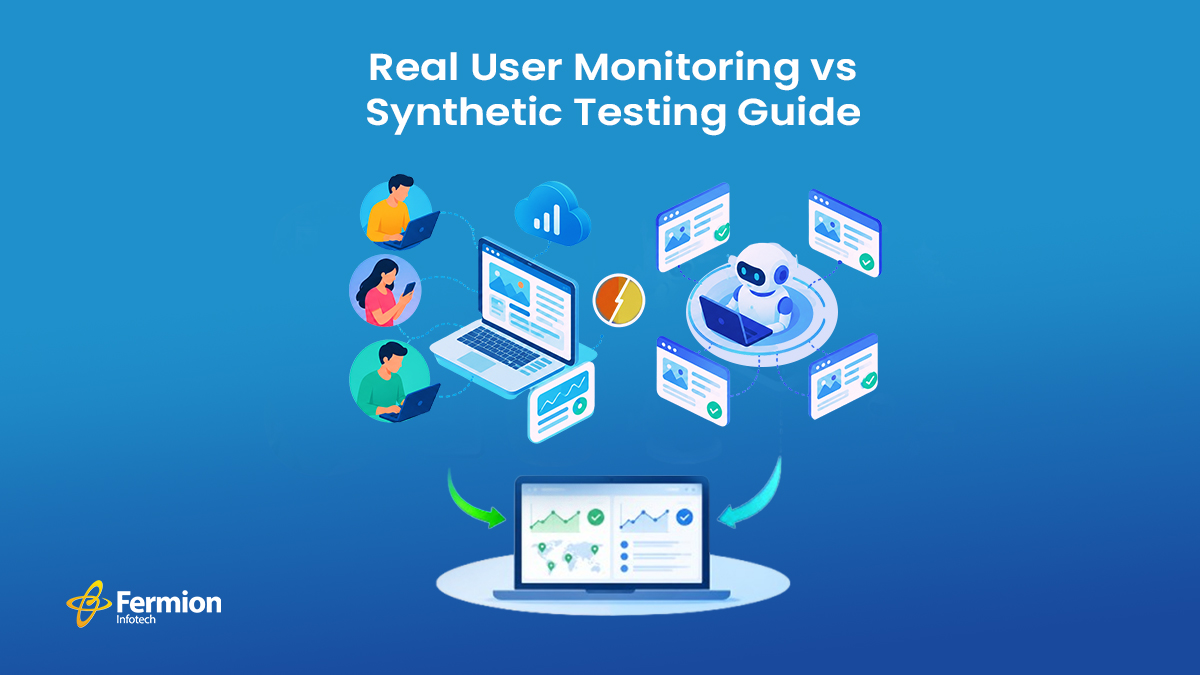
Your app runs smoothly on the office Wi-Fi. But what about the customer scrolling through it on a train, with patchy signal, on a three-year-old phone? Are they getting the same smooth experience — or are they giving up and closing the app?
You won’t know the answer unless you’re monitoring the right way. That’s where two powerful tools come in: Real User Monitoring (RUM) and synthetic testing. Both help you track website performance and app performance, but they do it in very different ways. And most businesses need both — not just one.
In this post, we’ll break down what each one does, how they’re different, and how to use them together to build a solid performance monitoring strategy.
What Is Real User Monitoring (RUM)?
Real User Monitoring, often just called RUM, tracks how actual visitors experience your website or app in real time. Every time someone opens your site, RUM quietly collects data in the background — page load speed, click response time, errors, device type, browser, location, and more.
Think of it as a fitness tracker for your website. It doesn’t guess how things are going. It watches what’s really happening, second by second, for every single user.
Why RUM matters:
- Shows real performance across different devices, browsers, and locations
- Captures issues that only happen for specific users (like slow load times only on iPhones, or only in certain countries)
- Helps you understand the actual user experience, not a simulated one
- Useful for spotting patterns tied to peak traffic hours
What Is Synthetic Testing?
Synthetic testing, sometimes called synthetic monitoring, works differently. Instead of watching real visitors, it uses automated scripts (bots) to simulate visits to your website at scheduled intervals — every 5 minutes, every hour, whatever you choose.
These scripts test specific actions, like loading the homepage, adding an item to a cart, or logging in. Since the test conditions stay the same every time, it’s easy to compare results and catch problems early — even before a single real user shows up.
Why synthetic testing matters:
- Works 24/7, even when your traffic is low or zero (like at 3 AM)
- Great for testing before a new feature or update goes live
- Helps with proactive uptime monitoring and catching downtime instantly
- Useful for testing critical user journeys (checkout, sign-up, login) on a consistent schedule
RUM vs Synthetic Testing: The Key Differences
| Factor | Real User Monitoring (RUM) | Synthetic Testing |
| Data source | Real visitors | Simulated bots/scripts |
| Timing | Continuous, live | Scheduled intervals |
| Best for | Understanding actual user experience | Catching issues before users do |
| Needs traffic | Yes | No |
| Consistency | Varies by user/device | Controlled and repeatable |
Neither one is “better.” They simply answer different questions.
- RUM answers: “How is my site actually performing for real people, right now?”
- Synthetic testing answers: “Is my site working the way it’s supposed to, all the time?”
Why You Need Both (Not Just One)
Relying only on synthetic testing means you might miss real-world problems — like a slow-loading page that only affects users in a specific region or on a specific browser. Your automated test might pass every time, but real customers could still be struggling.
Relying only on RUM means you’re stuck waiting for real users to hit a problem before you know about it — including at 2 AM when nobody’s around to test manually.
Together, they give you full-picture visibility:
- Synthetic testing catches issues early, before launch, and monitors uptime around the clock.
- RUM confirms how real users are actually experiencing your site after it goes live.
This combined approach is often called a hybrid monitoring strategy, and it’s quickly becoming the standard for businesses serious about website performance and application reliability.
How to Build a Simple Monitoring Strategy
If you’re just getting started, here’s a simple approach:
- Set up synthetic tests for your most important user journeys — homepage load, login, checkout, search.
- Add RUM tracking across your site or app to capture real user data continuously.
- Set alerts for both — so you know immediately if something breaks, whether it’s a scheduled test failing or a spike in real user errors.
- Review the data regularly, not just when something goes wrong. Look for slow trends, not just outages.
- Test across devices and regions, since performance can vary a lot depending on where and how people access your site.
Frequently Asked Questions
1. What is the main difference between RUM and synthetic testing?
Real User Monitoring (RUM) tracks how actual visitors experience your website in real time. Synthetic testing uses automated scripts to simulate visits on a fixed schedule. RUM shows what’s really happening; synthetic testing checks that things are working as expected.
2. Can I use only synthetic testing and skip RUM?
You can, but you’ll miss real-world issues — like slow performance for users on a specific device, browser, or location. Synthetic tests only check the scenarios you’ve programmed, not everything a real visitor might run into.
3. Is RUM enough on its own, without synthetic testing?
Not really. RUM depends on having real traffic, so it won’t catch problems during low-traffic hours, and it can’t test something before it goes live. Synthetic testing fills that gap by running around the clock.
4. Does RUM slow down my website?
A well-implemented RUM script is lightweight and runs in the background, so the impact on load time is minimal. Most modern monitoring tools are built to be as unobtrusive as possible.
5. How often should synthetic tests run?
It depends on how critical the page or action is. Homepage and login checks might run every few minutes, while less critical pages can be checked hourly. Most teams start frequent and adjust based on results.
6. Which one is better for SEO and Core Web Vitals?
RUM is more useful here, since Google’s Core Web Vitals are based on real user data. Synthetic testing is still helpful for catching performance regressions early, before they affect real users and your rankings.
7. Do small businesses need both, or is that overkill?
Even small websites benefit from both. Synthetic testing can be set up cheaply for key pages, while basic RUM tools now come built into many analytics and hosting platforms. You don’t need an enterprise budget to start.
Final Thoughts
Website speed and reliability directly affect user experience, conversions, and search rankings. Choosing real user monitoring and synthetic testing isn’t really the right question — the real question is how to use both together, so you catch problems before they cost you customers and understand exactly what your real users are going through.
At the end of the day, good website performance monitoring isn’t a one-time setup. It’s an ongoing habit — one that helps you build faster, more reliable websites and apps that people actually enjoy using.
Need help setting up a performance monitoring strategy for your website or app? Get in touch to learn more.